> ## Documentation Index
> Fetch the complete documentation index at: https://docs.farmiosolutions.com/llms.txt
> Use this file to discover all available pages before exploring further.

# VIII. Mobile App (copy)

## I. Employees

<h3 id="mi1">Add an employee</h3>

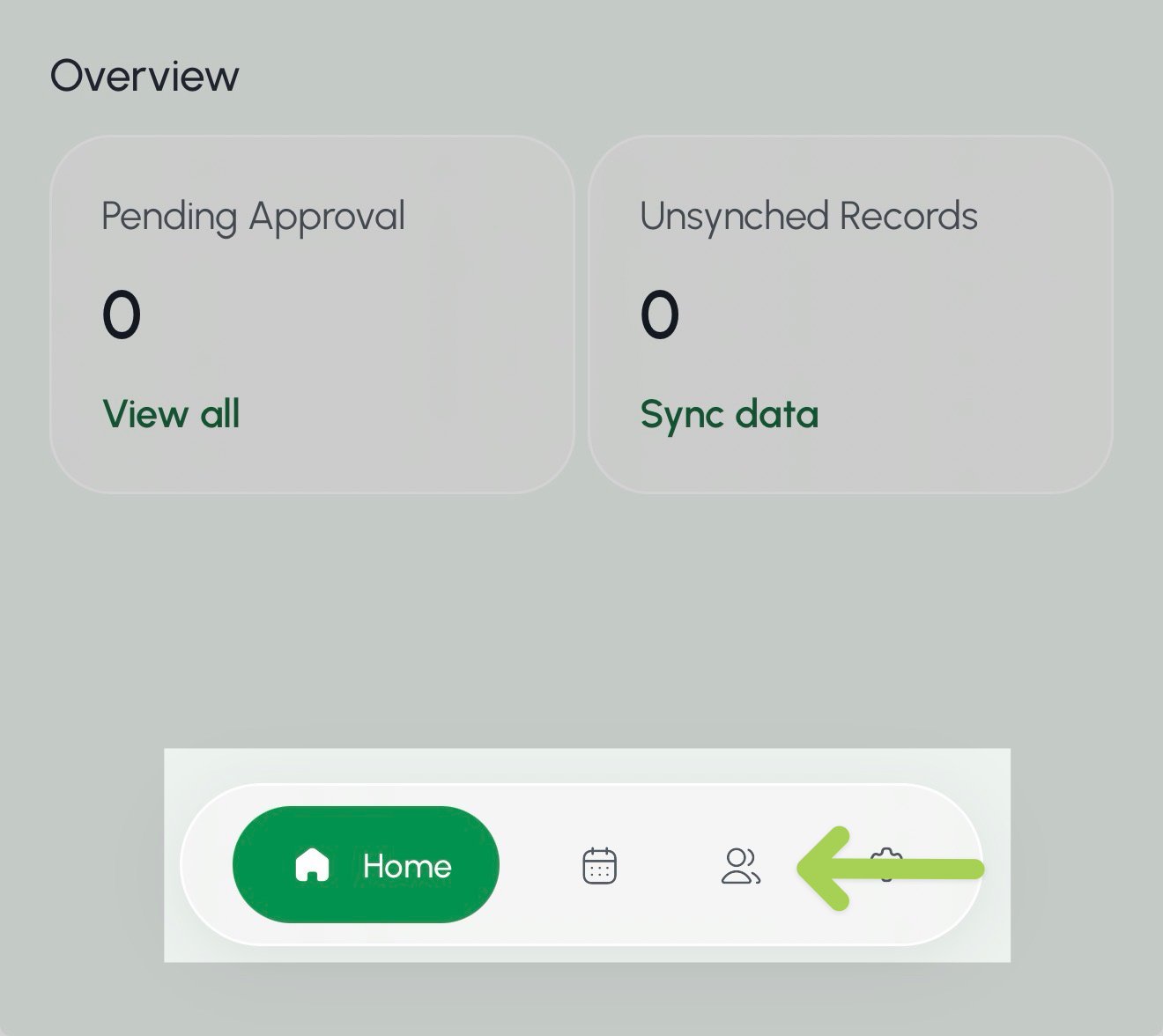
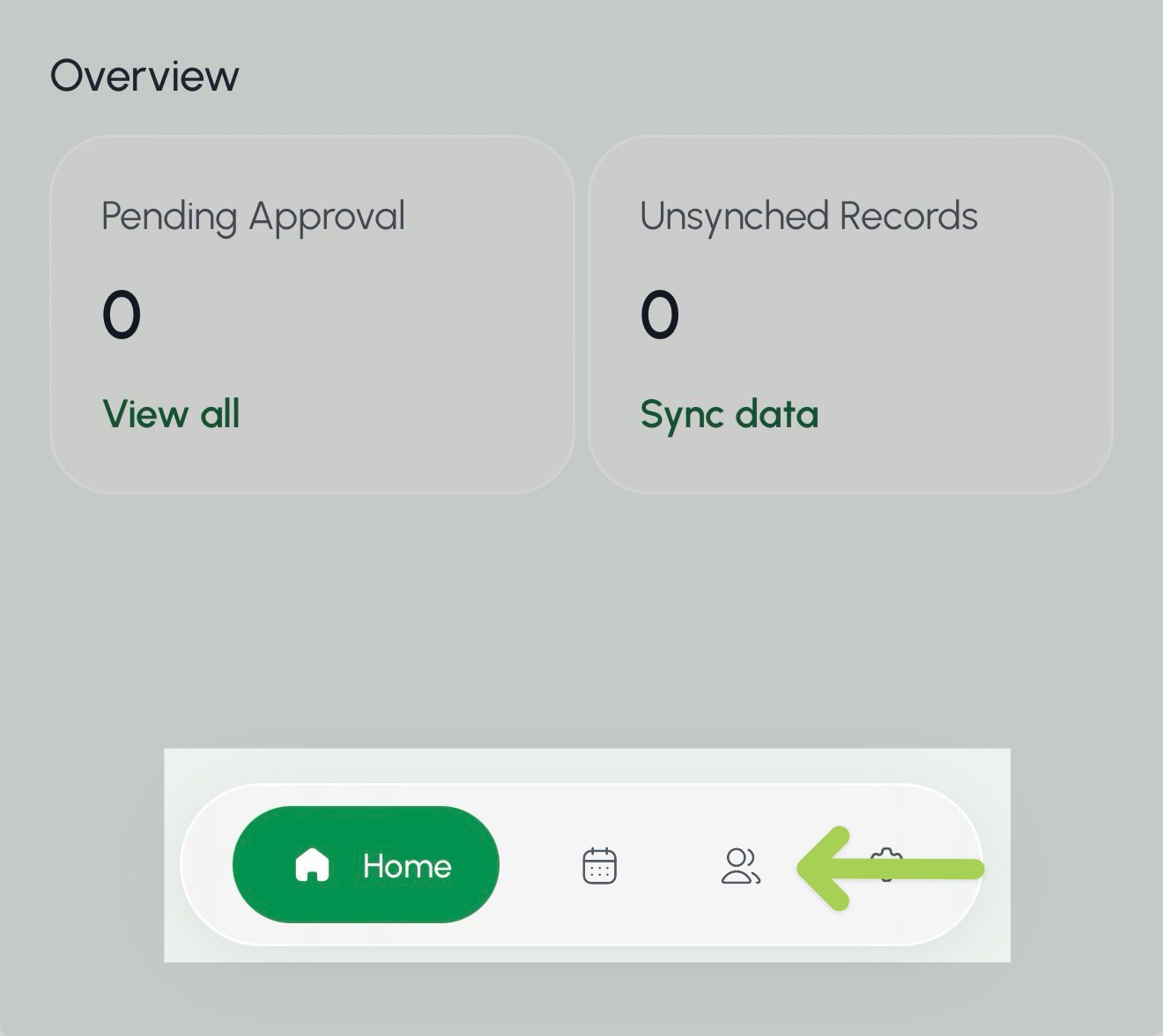
1. Select the **Crew** page from the bottom menu.
2. Select the **Crew** page <img src="https://mintcdn.com/farmio/Sb5iBIrjezfrLv0c/images/IMG_9638.jpg?fit=max&auto=format&n=Sb5iBIrjezfrLv0c&q=85&s=efc52926da2611d9176493acbc2f6742" alt="Crew icon mobile" noZoom style={{ width: "32px", height: "auto", display: "inline-block", verticalAlign: "middle", margin: 0 }} width="107" height="92" data-path="images/IMG_9638.jpg" /> from the bottom menu.

<img src="https://mintcdn.com/farmio/Sb5iBIrjezfrLv0c/images/IMG_9637.jpg?fit=max&auto=format&n=Sb5iBIrjezfrLv0c&q=85&s=976fb93e7a6bb0294aa33a3a88ec3315" alt="IMG 9637" width="1320" height="1176" data-path="images/IMG_9637.jpg" />

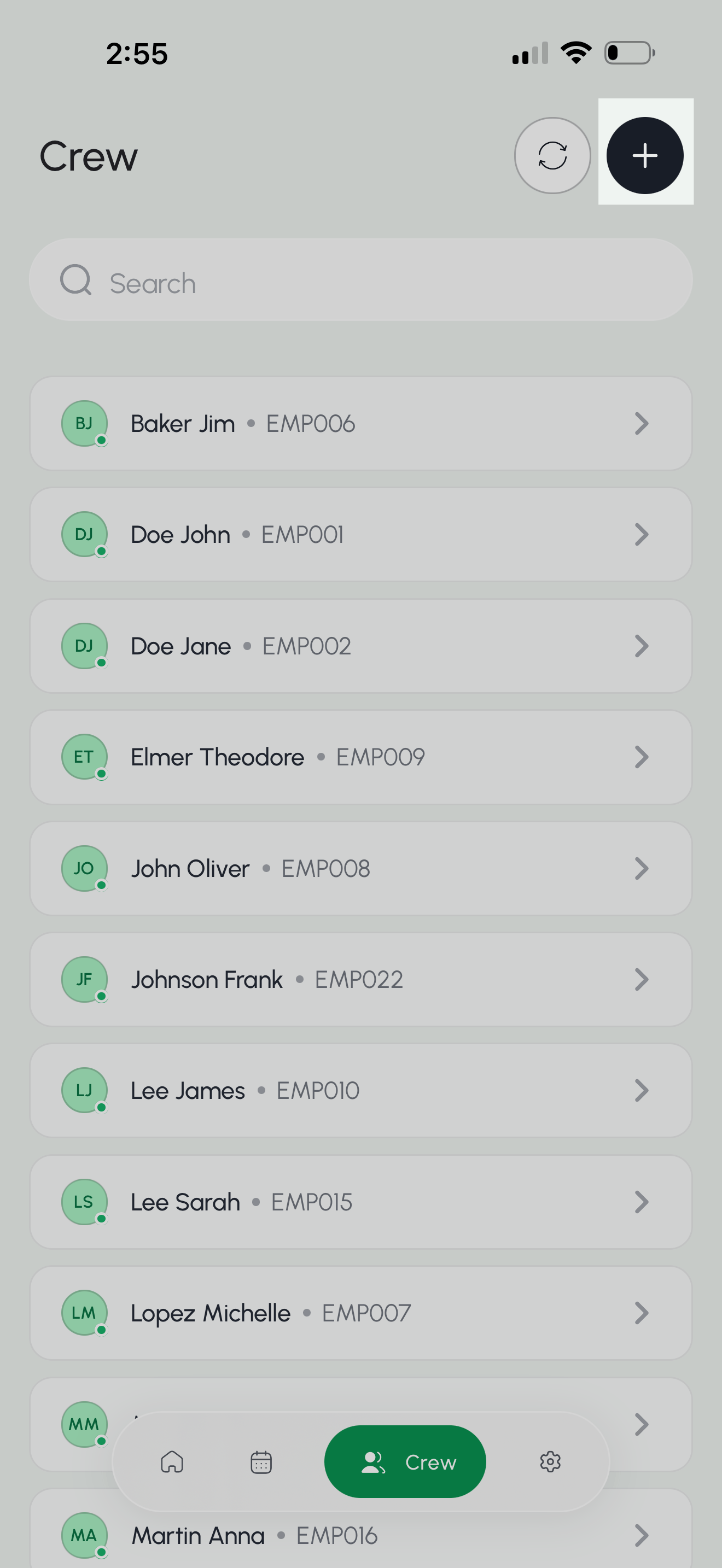
3. Select the + button in the top right of the page.
<img src="https://mintcdn.com/farmio/Sb5iBIrjezfrLv0c/images/IMG_9626.png?fit=max&auto=format&n=Sb5iBIrjezfrLv0c&q=85&s=1be4aaafff0afb56bc4e8e84333b4a8c" alt="IMG 9626" width="1320" height="2868" data-path="images/IMG_9626.png" />

4. Enter the employee's first name, last name, and employee ID.\*

\*Optional: Add a custom pay rate for the employee.

5. Select **Create Member** to save your new employee.

<img src="https://mintcdn.com/farmio/Sb5iBIrjezfrLv0c/images/IMG_9627-1.PNG?fit=max&auto=format&n=Sb5iBIrjezfrLv0c&q=85&s=cf6072cda11f282e7c2ef7c2e49de74f" alt="IMG 9627 1" width="1320" height="2868" data-path="images/IMG_9627-1.PNG" />

***

<h3 id="mi2">Update employee details</h3>

1. Select the **Crew** page <img src="https://mintcdn.com/farmio/Sb5iBIrjezfrLv0c/images/IMG_9638.jpg?fit=max&auto=format&n=Sb5iBIrjezfrLv0c&q=85&s=efc52926da2611d9176493acbc2f6742" alt="Crew icon mobile" noZoom style={{ width: "32px", height: "auto", display: "inline-block", verticalAlign: "middle", margin: 0 }} width="107" height="92" data-path="images/IMG_9638.jpg" /> from the bottom menu.

<img src="https://mintcdn.com/farmio/Sb5iBIrjezfrLv0c/images/IMG_9637-1.jpg?fit=max&auto=format&n=Sb5iBIrjezfrLv0c&q=85&s=d7dbc4701348eff922ad00bb67a31860" alt="IMG 9637 1" width="1320" height="1176" data-path="images/IMG_9637-1.jpg" />

3. Select the **Search** box above the employee list.
4. Enter the employee's first name, last name, or Employee ID.
5. Select the employee you want to update.

<img src="https://mintcdn.com/farmio/Sb5iBIrjezfrLv0c/images/IMG_9634.PNG?fit=max&auto=format&n=Sb5iBIrjezfrLv0c&q=85&s=5f1fa88596acb9d0d6ae67f66070431a" alt="IMG 9634" width="1320" height="2868" data-path="images/IMG_9634.PNG" />

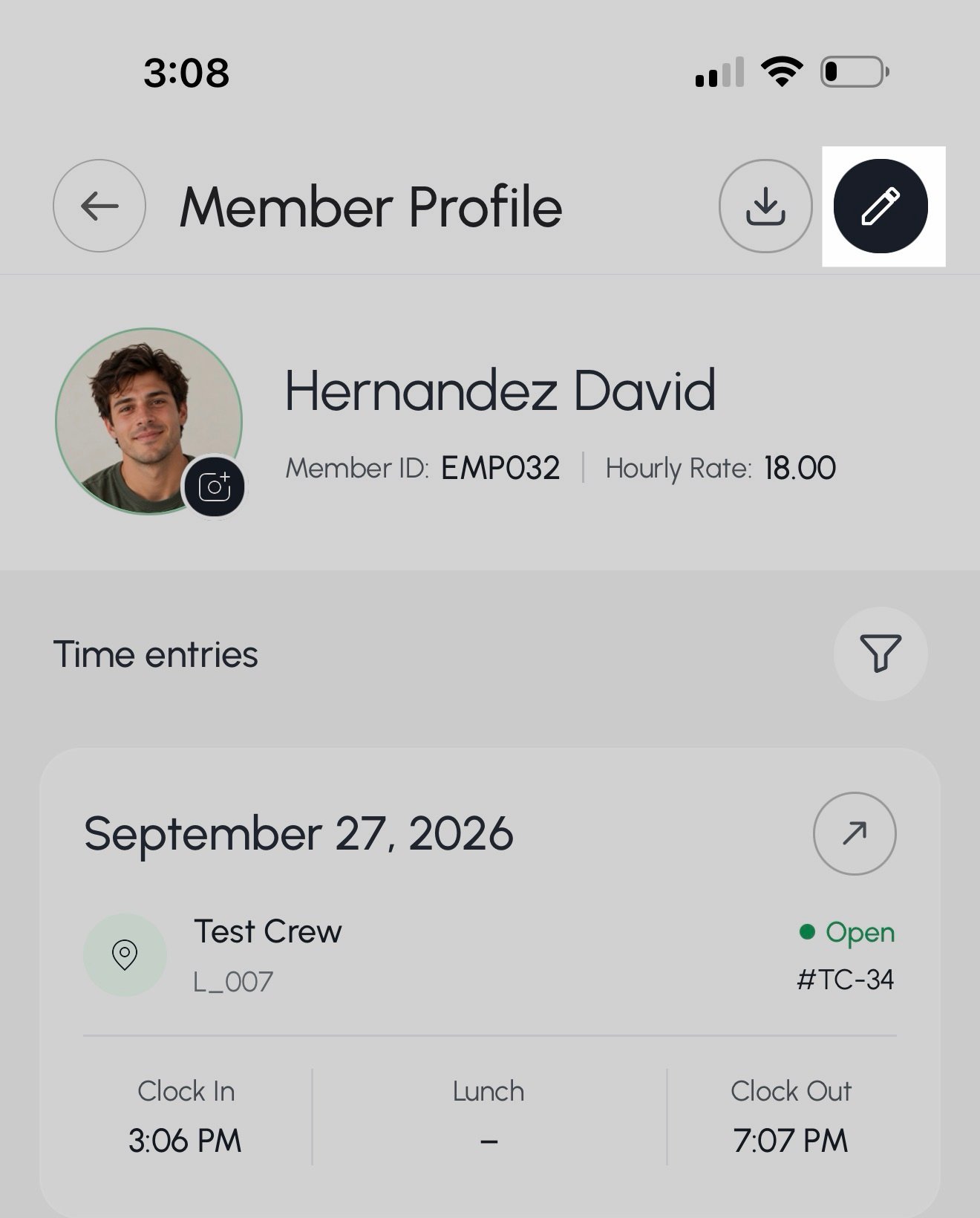
6. Select the edit button <img src="https://mintlify.s3.us-west-1.amazonaws.com/farmio/images/IMG_9635-2.jpg" alt="Edit Button" noZoom style={{ width: "30px", height: "auto", display: "inline-block", verticalAlign: "middle", margin: 0 }} /> on the employee's profile.

<img src="https://mintcdn.com/farmio/Sb5iBIrjezfrLv0c/images/IMG_9635.jpg?fit=max&auto=format&n=Sb5iBIrjezfrLv0c&q=85&s=fe8b256ca1b3bea05307b70c359a24d6" alt="IMG 9635" width="1320" height="1640" data-path="images/IMG_9635.jpg" />

7. Update the employee's first name, last name, employee ID, custom rate, member status, or profile picture.
8. Select **Update Profile** to save your changes.

<img src="https://mintcdn.com/farmio/Sb5iBIrjezfrLv0c/images/IMG_9631.PNG?fit=max&auto=format&n=Sb5iBIrjezfrLv0c&q=85&s=34aa145c59ddc96246751ad741bf3de1" alt="IMG 9631" width="1320" height="2868" data-path="images/IMG_9631.PNG" />

***

<h3 id="mi3">Export Employee Badge</h3>

1. Select the **Crew** page <img src="https://mintcdn.com/farmio/Sb5iBIrjezfrLv0c/images/IMG_9638.jpg?fit=max&auto=format&n=Sb5iBIrjezfrLv0c&q=85&s=efc52926da2611d9176493acbc2f6742" alt="Crew icon mobile" noZoom style={{ width: "32px", height: "auto", display: "inline-block", verticalAlign: "middle", margin: 0 }} width="107" height="92" data-path="images/IMG_9638.jpg" /> from the bottom menu.

<img src="https://mintcdn.com/farmio/Sb5iBIrjezfrLv0c/images/IMG_9637-1.jpg?fit=max&auto=format&n=Sb5iBIrjezfrLv0c&q=85&s=d7dbc4701348eff922ad00bb67a31860" alt="IMG 9637" width="1320" height="1176" data-path="images/IMG_9637-1.jpg" />

2. Select the **Search** box above the employee list.
3. Enter the employee's first name, last name, or Employee ID.
4. Select the employee you want to update.

<img src="https://mintcdn.com/farmio/Sb5iBIrjezfrLv0c/images/IMG_9634.PNG?fit=max&auto=format&n=Sb5iBIrjezfrLv0c&q=85&s=5f1fa88596acb9d0d6ae67f66070431a" alt="IMG 9634" width="1320" height="2868" data-path="images/IMG_9634.PNG" />

5. Select the **export** button <img src="https://mintcdn.com/farmio/-CvM6_wP4HbZpj7b/images/IMG_9662-1.png?fit=max&auto=format&n=-CvM6_wP4HbZpj7b&q=85&s=c1a491b46262d7c43875db30dc265154" alt="Crew icon mobile" noZoom style={{ width: "32px", height: "auto", display: "inline-block", verticalAlign: "middle", margin: 0 }} width="145" height="162" data-path="images/IMG_9662-1.png" /> in the top right of the page.

<img src="https://mintcdn.com/farmio/-CvM6_wP4HbZpj7b/images/IMG_9676.PNG?fit=max&auto=format&n=-CvM6_wP4HbZpj7b&q=85&s=b499f2c8c0e7db392aeec42cabb12007" alt="IMG 9676" width="1320" height="2868" data-path="images/IMG_9676.PNG" />

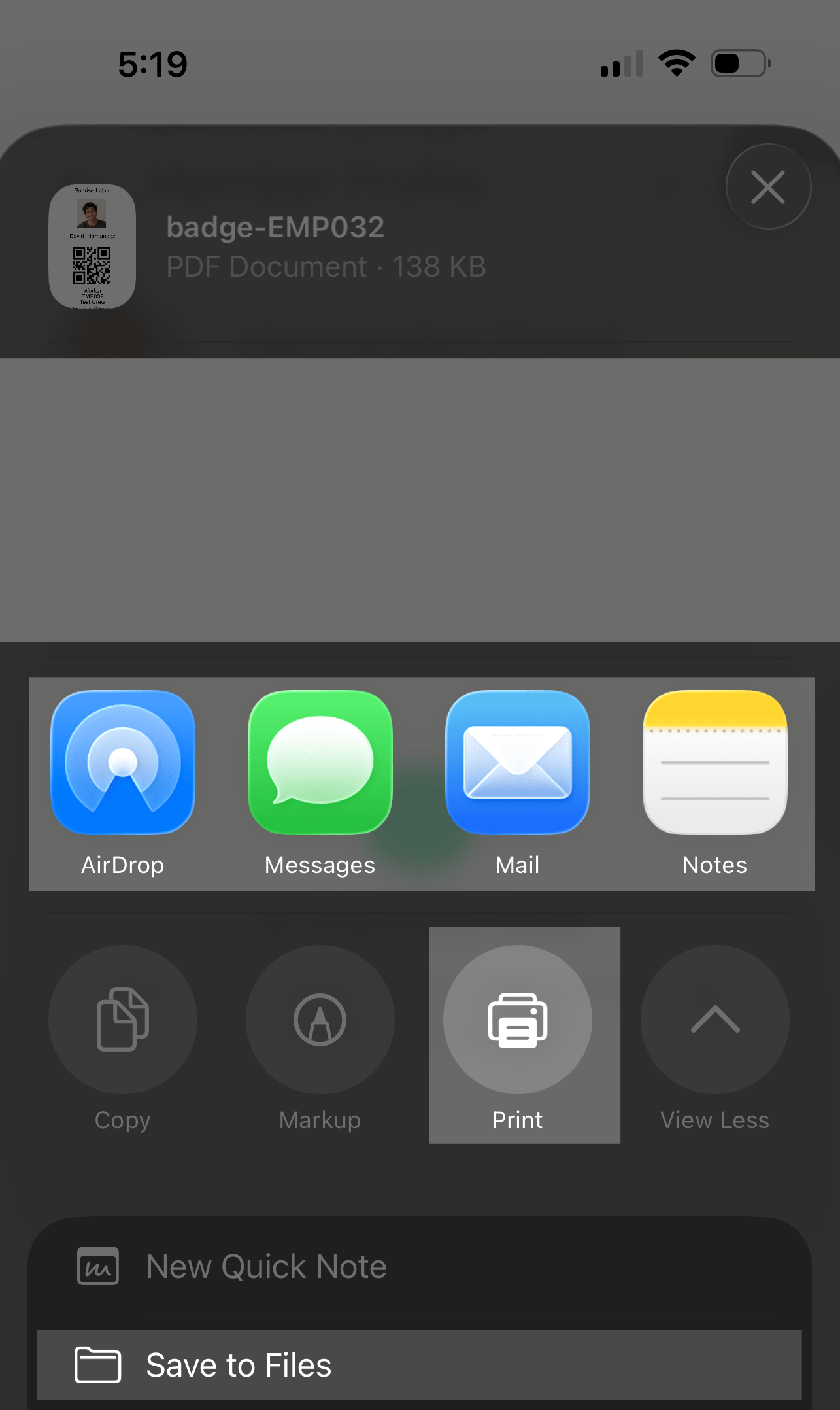
You can save, share, or print the employee badge.
<img src="https://mintcdn.com/farmio/-CvM6_wP4HbZpj7b/images/IMG_9663-1.png?fit=max&auto=format&n=-CvM6_wP4HbZpj7b&q=85&s=44bfb94cfffbe0c277b4f90654be749b" alt="IMG 9663 1" width="1285" height="2156" data-path="images/IMG_9663-1.png" />

***

<h3 id="mi4">View an employee's hourly rate</h3>

1. Select the **Crew** page <img src="https://mintcdn.com/farmio/Sb5iBIrjezfrLv0c/images/IMG_9638.jpg?fit=max&auto=format&n=Sb5iBIrjezfrLv0c&q=85&s=efc52926da2611d9176493acbc2f6742" alt="Crew icon mobile" noZoom style={{ width: "32px", height: "auto", display: "inline-block", verticalAlign: "middle", margin: 0 }} width="107" height="92" data-path="images/IMG_9638.jpg" /> from the bottom menu.

<img src="https://mintcdn.com/farmio/Sb5iBIrjezfrLv0c/images/IMG_9637-1.jpg?fit=max&auto=format&n=Sb5iBIrjezfrLv0c&q=85&s=d7dbc4701348eff922ad00bb67a31860" alt="IMG 9637" width="1320" height="1176" data-path="images/IMG_9637-1.jpg" />

2. Select the **Search** box above the employee list.
3. Enter the employee's first name, last name, or Employee ID.
4. Select the employee you want to update.

<img src="https://mintcdn.com/farmio/Sb5iBIrjezfrLv0c/images/IMG_9634.PNG?fit=max&auto=format&n=Sb5iBIrjezfrLv0c&q=85&s=5f1fa88596acb9d0d6ae67f66070431a" alt="IMG 9634" width="1320" height="2868" data-path="images/IMG_9634.PNG" />

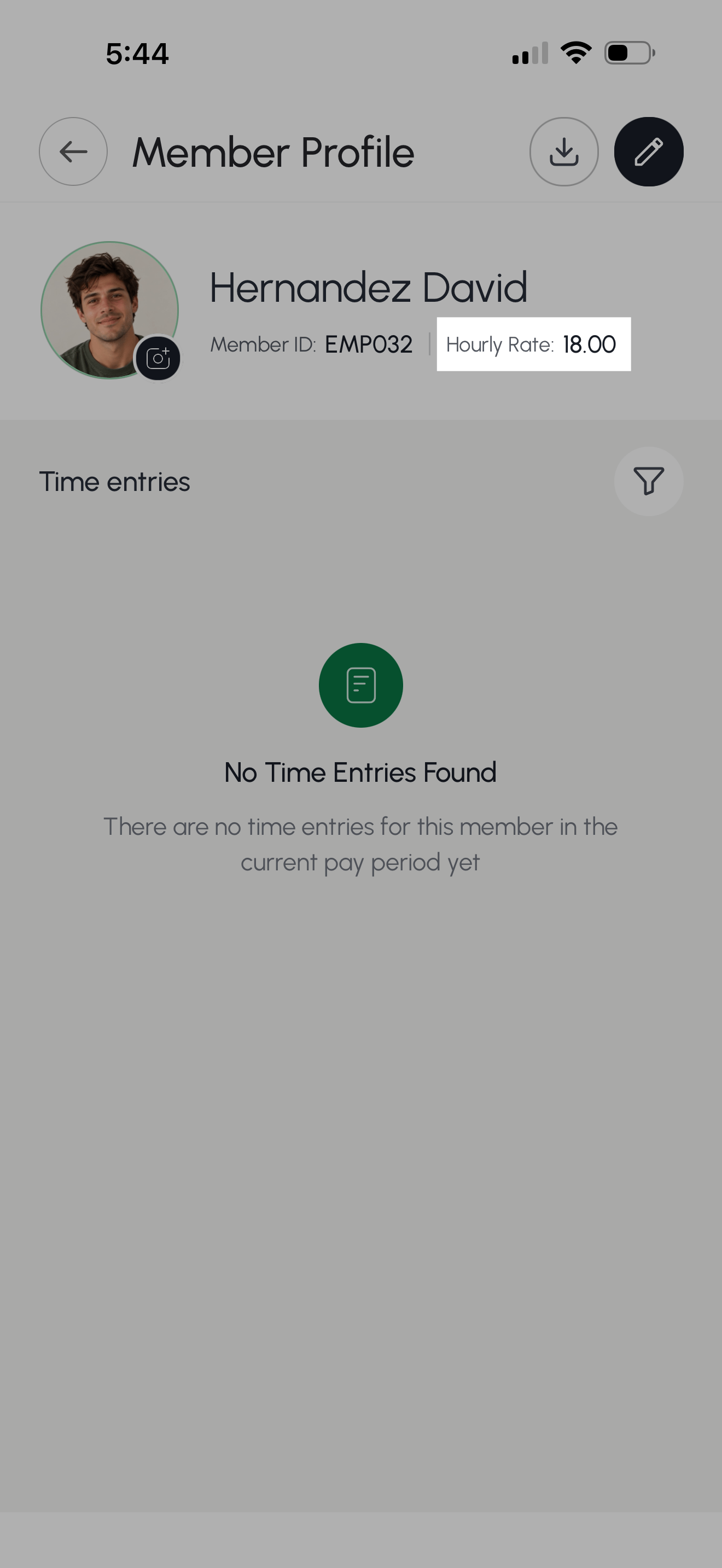
The employee's hourly rate is listed next to the Employee ID.
<img src="https://mintcdn.com/farmio/Sb5iBIrjezfrLv0c/images/IMG_9664-1.png?fit=max&auto=format&n=Sb5iBIrjezfrLv0c&q=85&s=5e39f05dd67033b413f15776a76e7426" alt="IMG 9664 1" width="1320" height="2868" data-path="images/IMG_9664-1.png" />