

A. Employees
Add an employee
To add several employees at once, see Add multiple employees.- Go to the Employees page from the Main Menu.
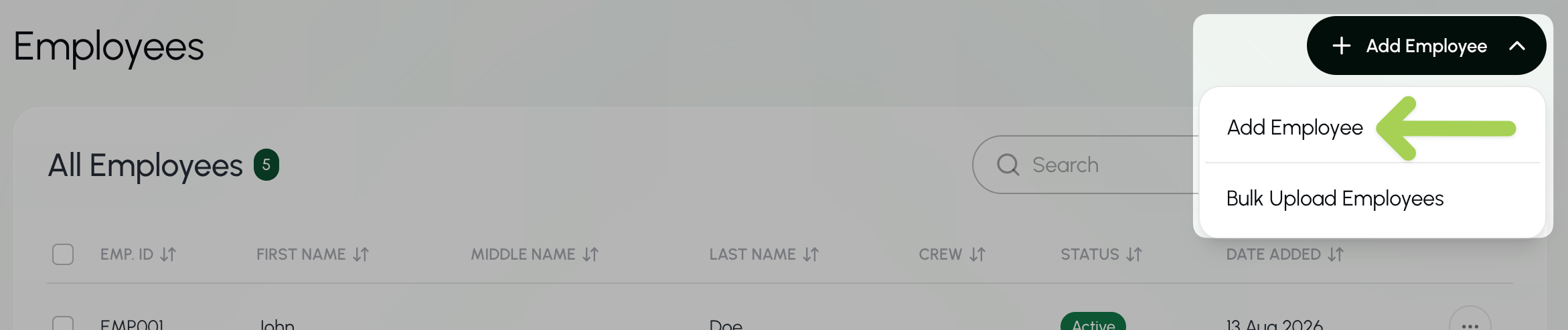
- Select + Add Employee.
- Select Add employee from the menu.
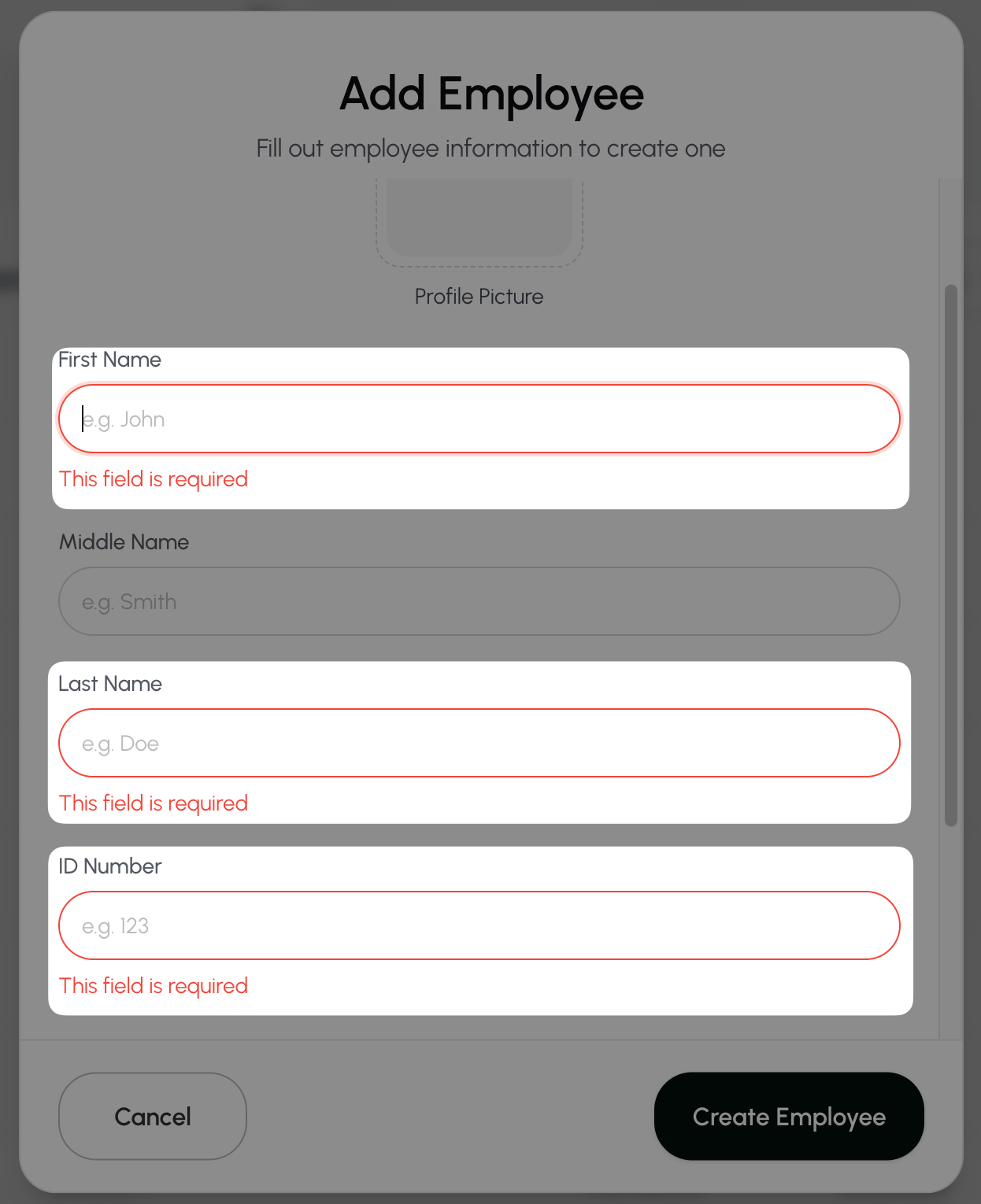
- Enter the employee’s information. The following fields are required:
- First Name
- Last Name
- Employee ID
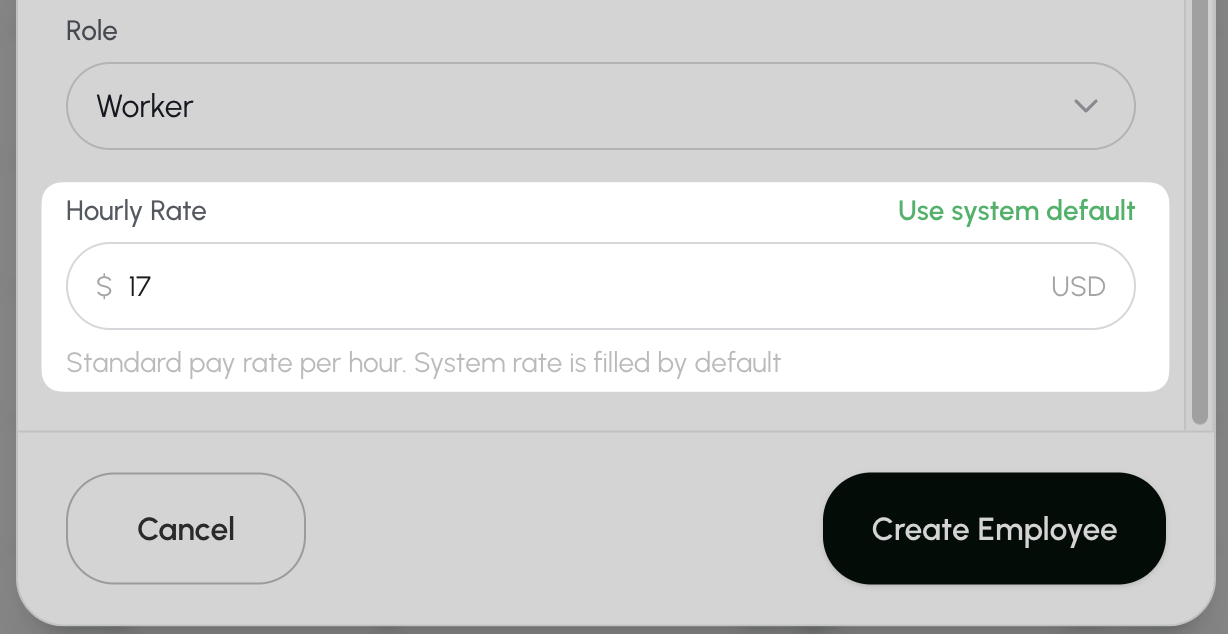
- Change the employee’s hourly rate if needed. The system default is dependent on your location.
- Select Create Employee to save.
Add multiple employees
Upload a CSV file to add several employees at once. To add just one employee, see Add an employee.- Go to the Employees page.
- Select + Add Employee.
- Select Bulk Upload Employees from the menu.

- Download the Farmio Members Template.
- Open the file.
- Delete the sample employee information. Keep the column headings.
- Enter the information for each employee you want to add.
- Leave the Hourly rate column blank to use the system’s hourly rate.
- Save the file in CSV format.
- Upload the saved file back into Farmio.
- The file must be 10 MB or smaller.
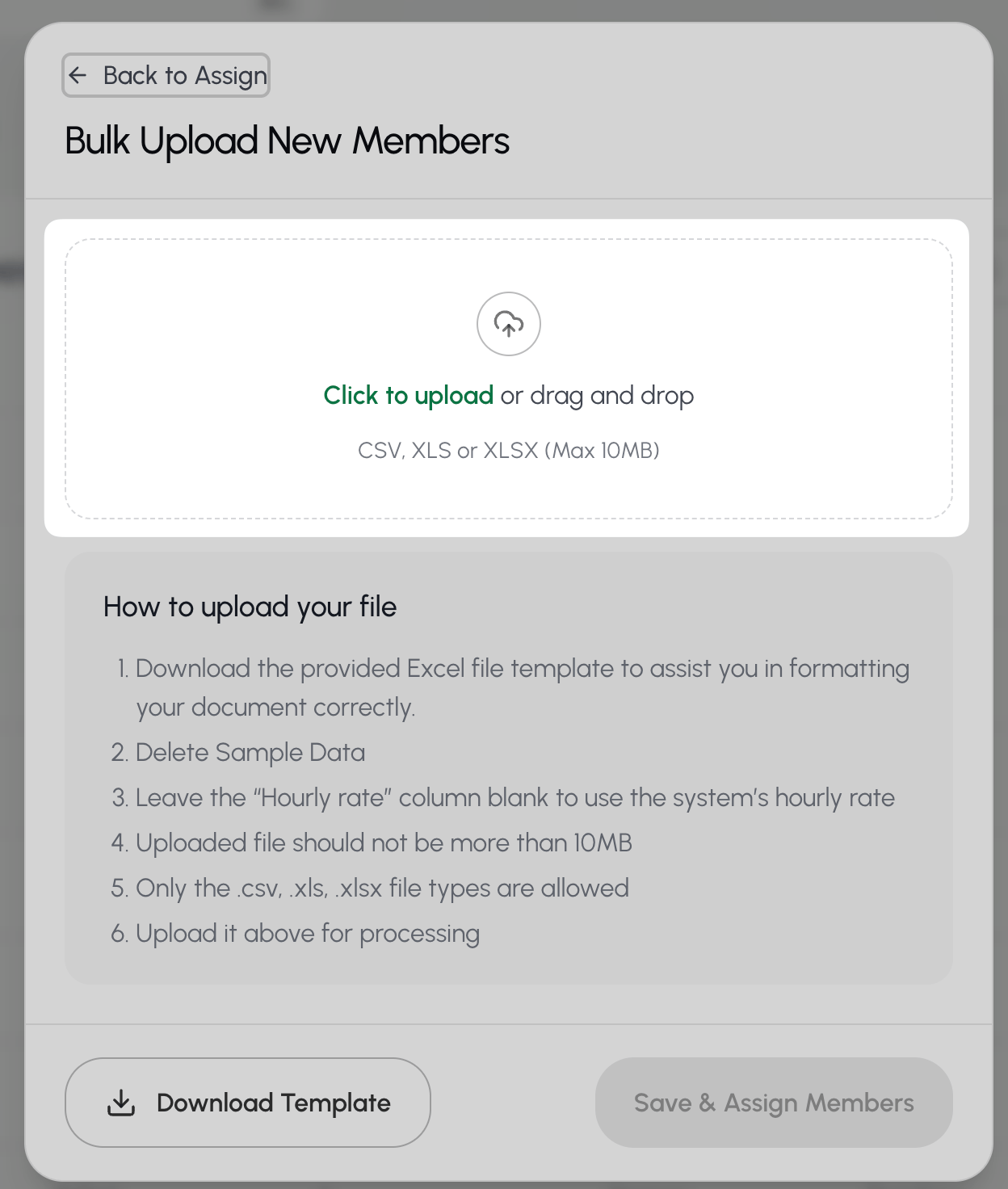
- Wait for the file to finish uploading. Then select Save & Assign Members.
Find an employee
- Go to the Employees page.
- Select the Search box above the employee list.
- Enter the employee’s first name, last name, or Employee ID.

The Search bar at the top of every page searches across Farmio. To search only for employees, use the Search box on the Employees page.
Update employee details
Edit personal details, add a profile photo, or update an employee’s hourly rate.- Go to the Employees page.
- Select the Search box above the employee list.
- Enter the employee’s first name, last name, or Employee ID.
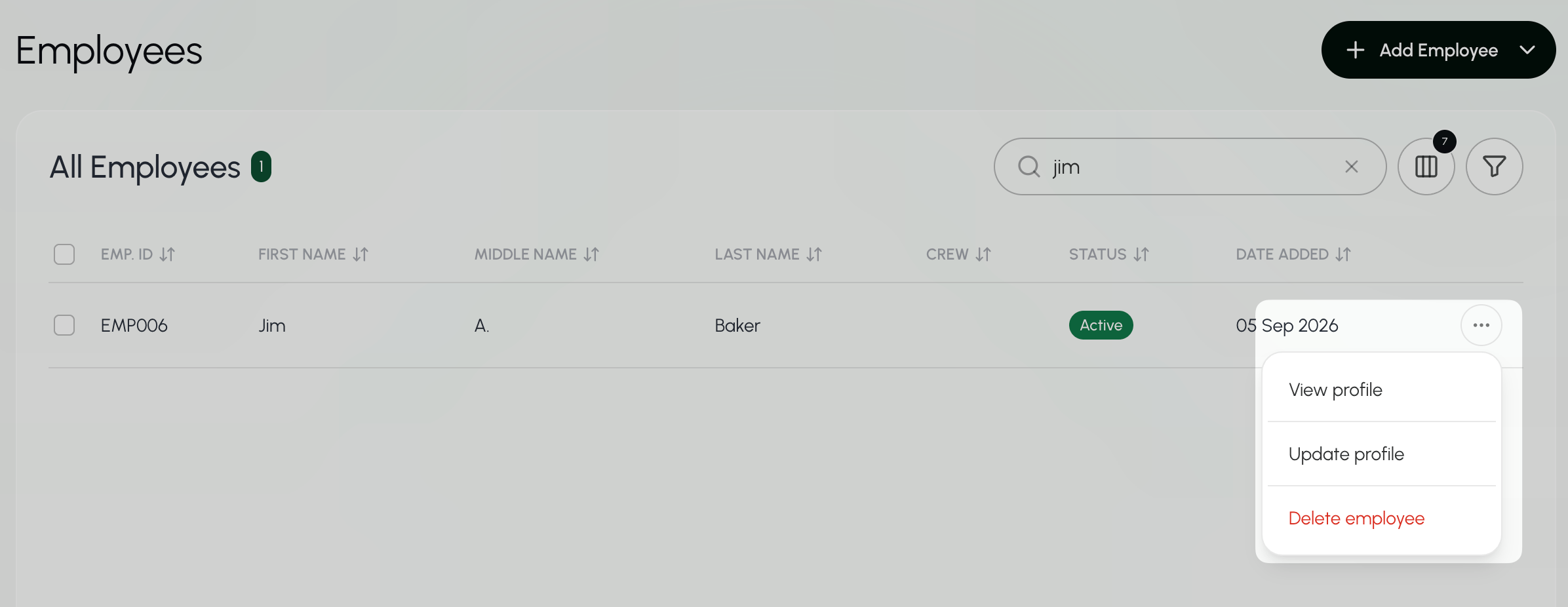
- Select the three dots
 next to the employee and choose Update Profile.
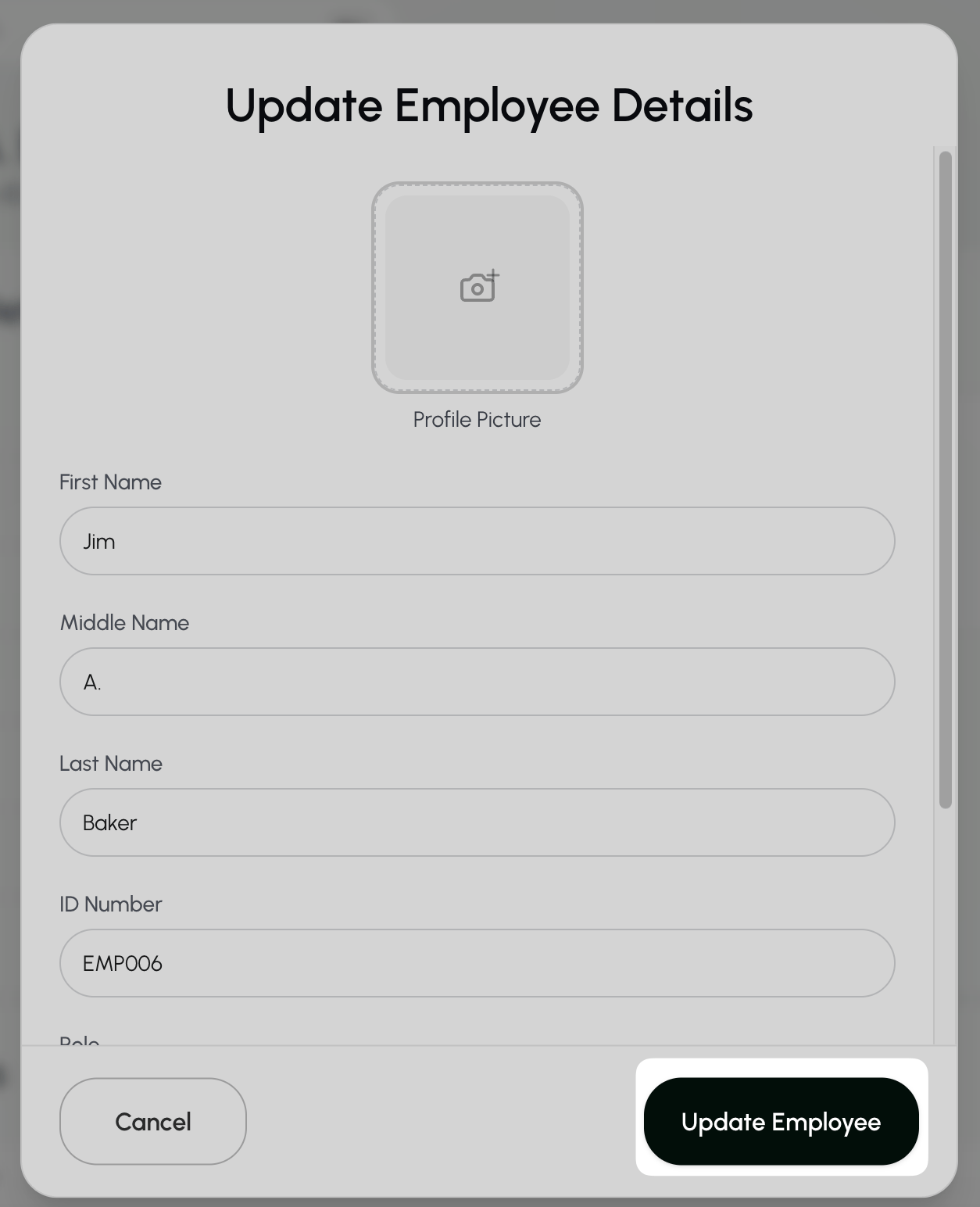
- Make your changes, then select Update Employee to save.
You can also edit an employee’s information from their profile. Select the three dots and choose Update Details.
and choose Update Details.Export an employee badge
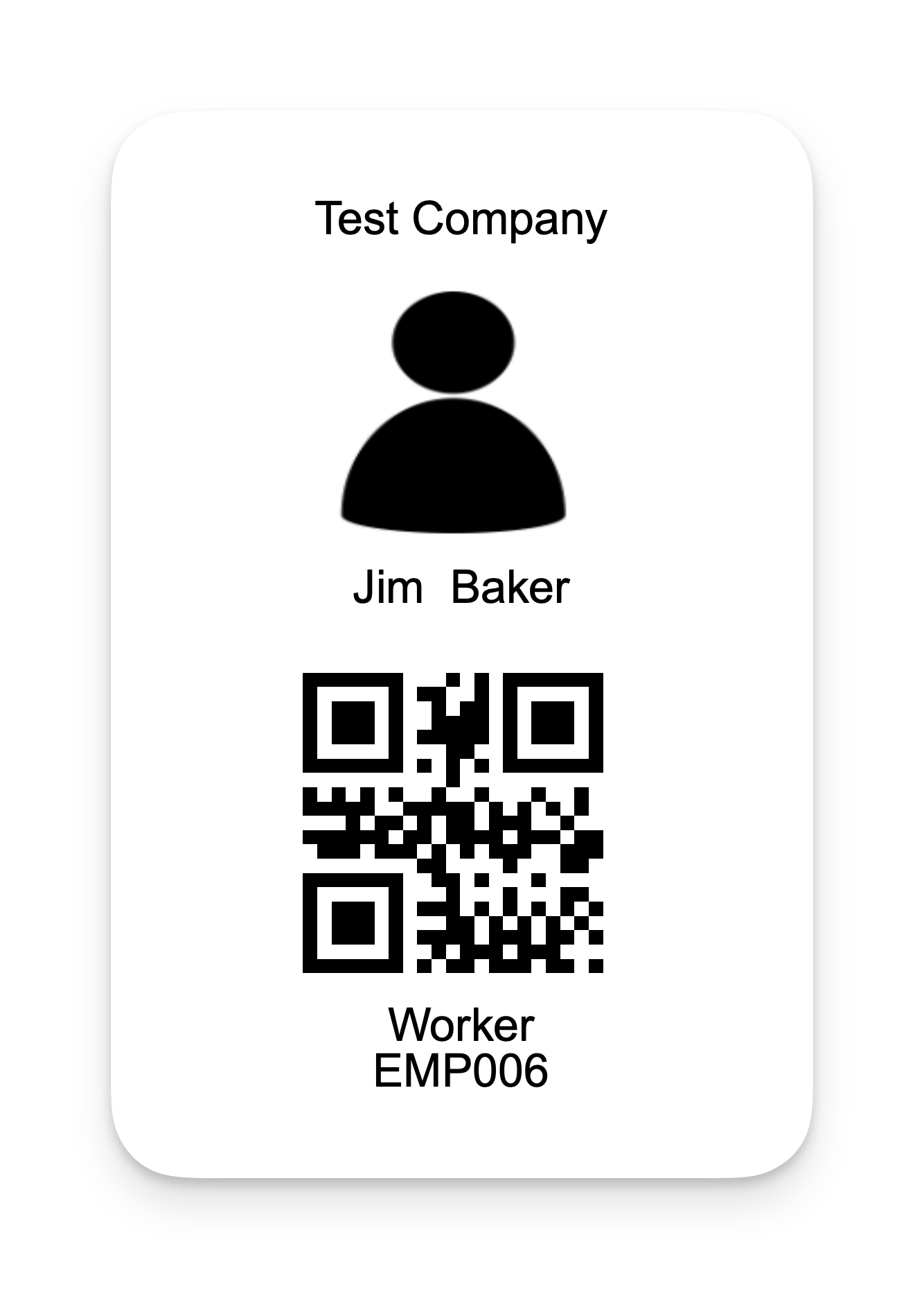
Download a badge with the employee’s name, picture, and employee ID.- Go to the Employees page.
- Select the Search box above the employee list.
- Enter the employee’s first name, last name, or Employee ID.
- Select the three dots next to the employee and choose View Profile.
- Select “Download Badge” to the right of the employee’s name.

- Open the downloaded file.
Export multiple employee badges
Each badge includes the employee’s name, photo, and employee ID.- Go to the Employees page.
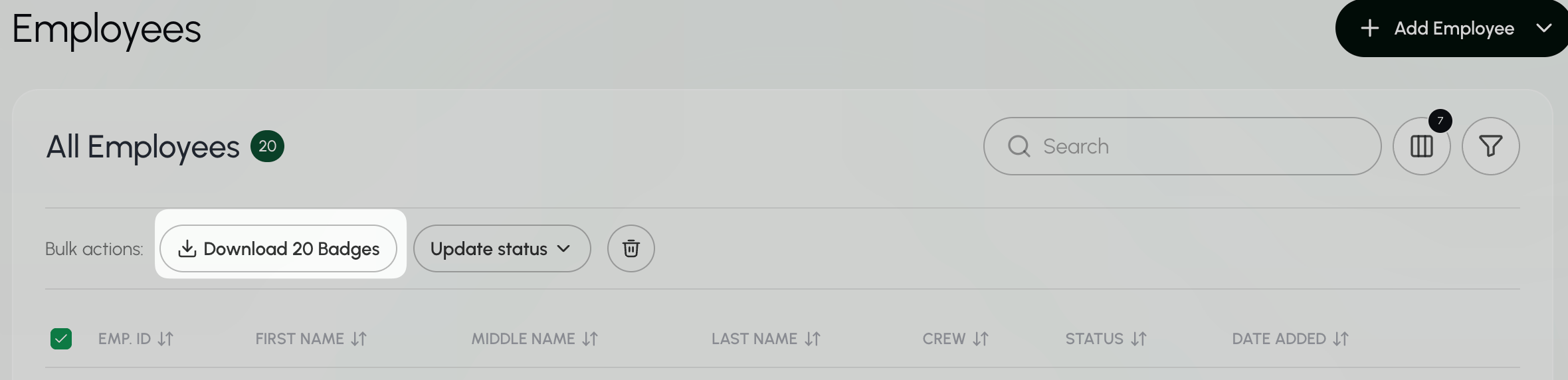
- Select the checkbox next to each employee whose badge you want to download.
- To select all employees, select the checkbox at the top of the list.
- Select Download Badges from the bulk actions.
- Open the downloaded file.
B. Pay rates
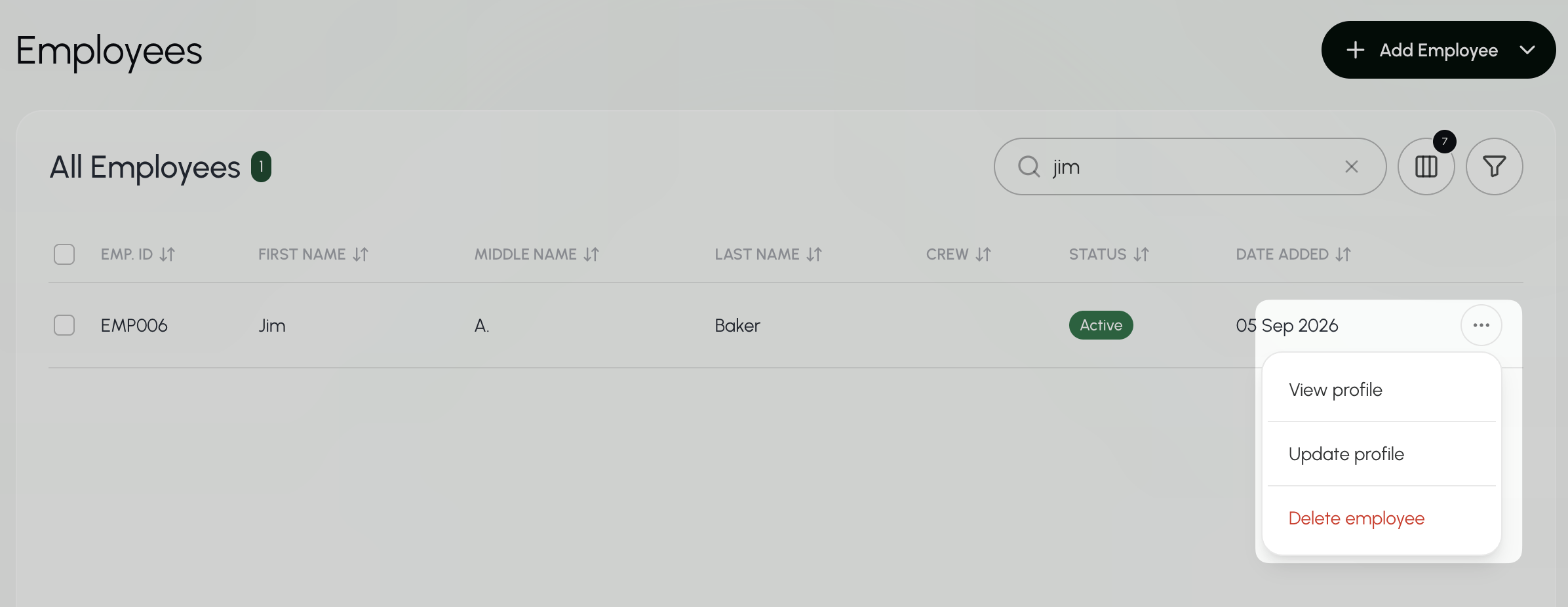
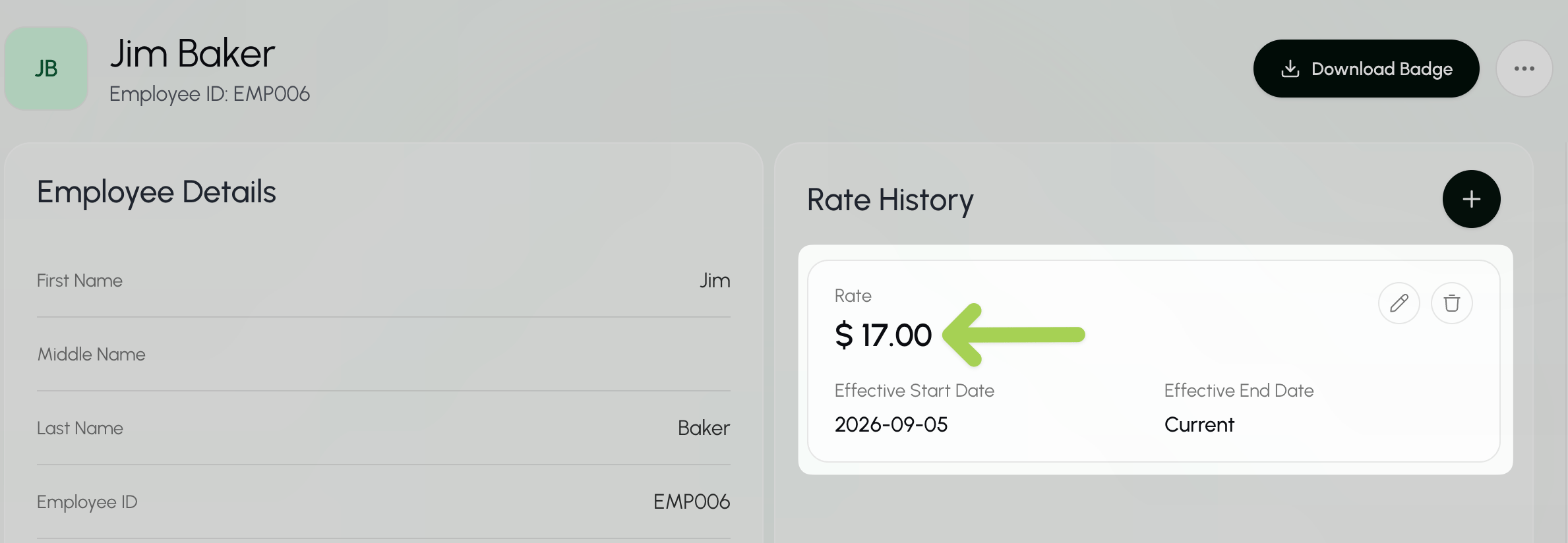
Find an employee’s current rate
- Go to the Employees page.
- Select the Search box above the employee list.
- Enter the employee’s first name, last name, or Employee ID.
- Select the three dots next to the employee and choose View Profile.
Change an employee’s rate
- Go to the Employees page.
- Select the Search box above the employee list.
- Enter the employee’s first name, last name, or Employee ID. Select the three dots next to the employee and choose View Profile.
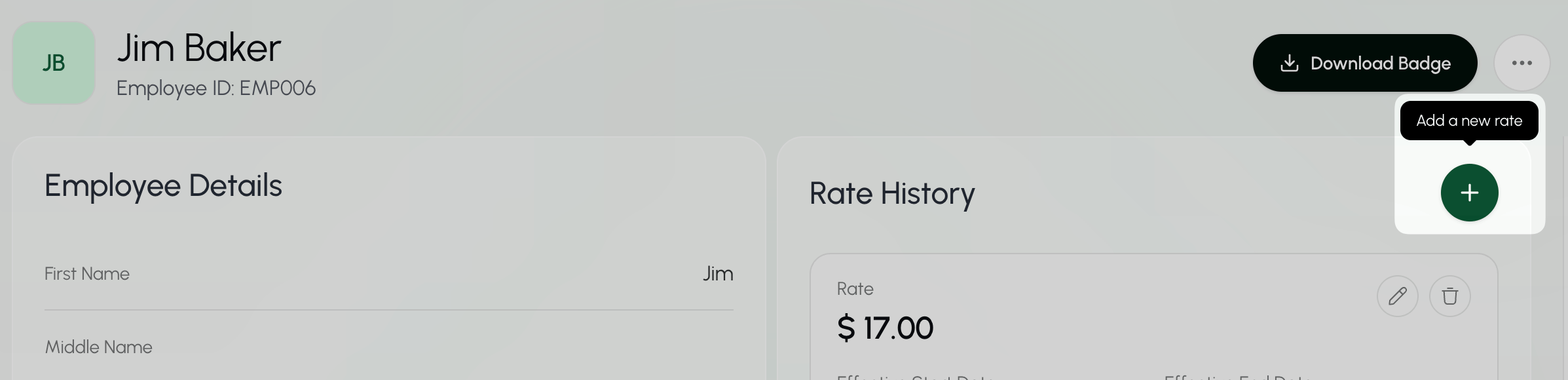
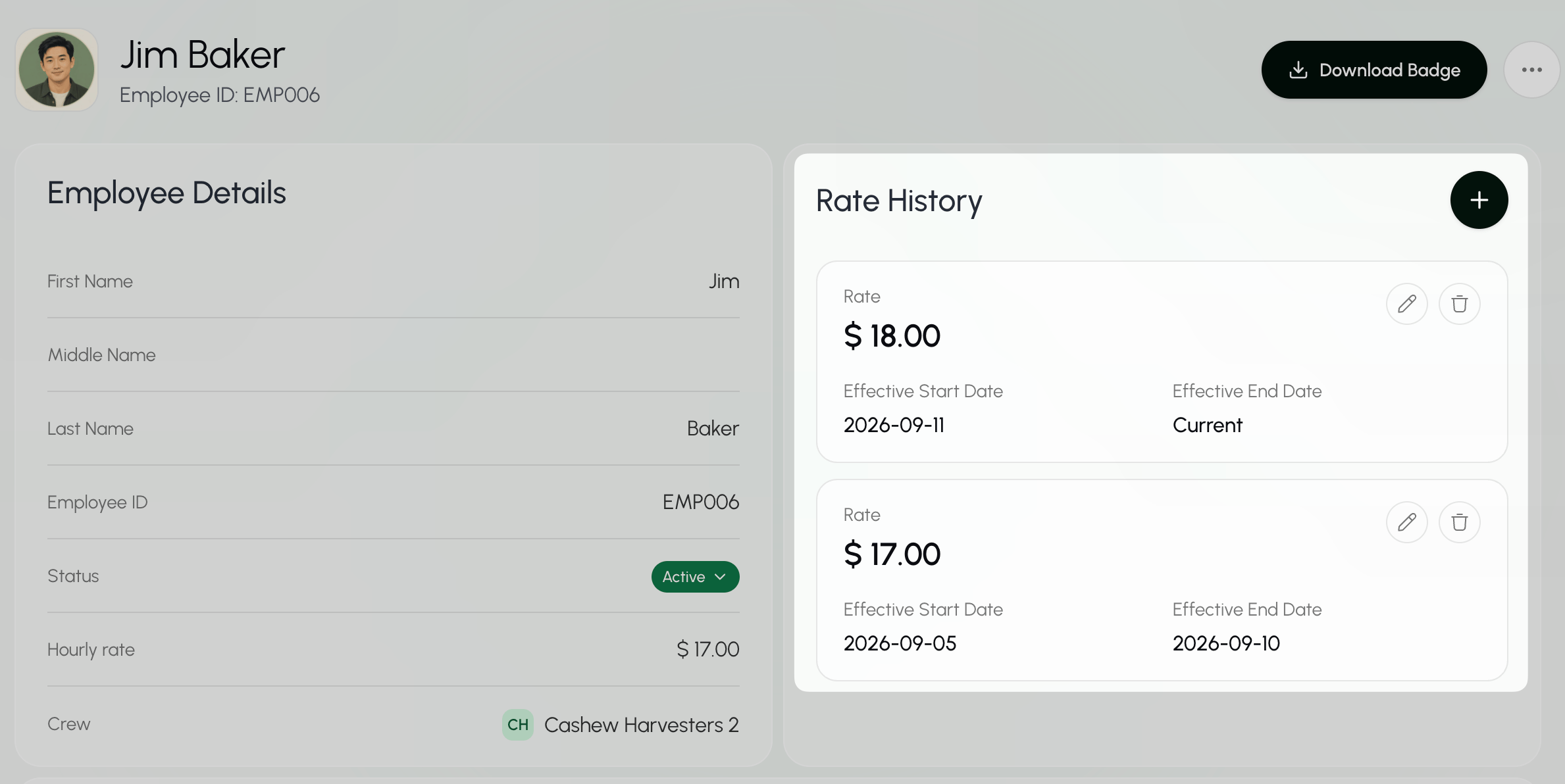
- Under Rate History, select the ”+” button to add a new rate.
- Enter the new rate and its start date.
- If the rate should end on a certain date, enter an end date. Otherwise, leave the end date blank.
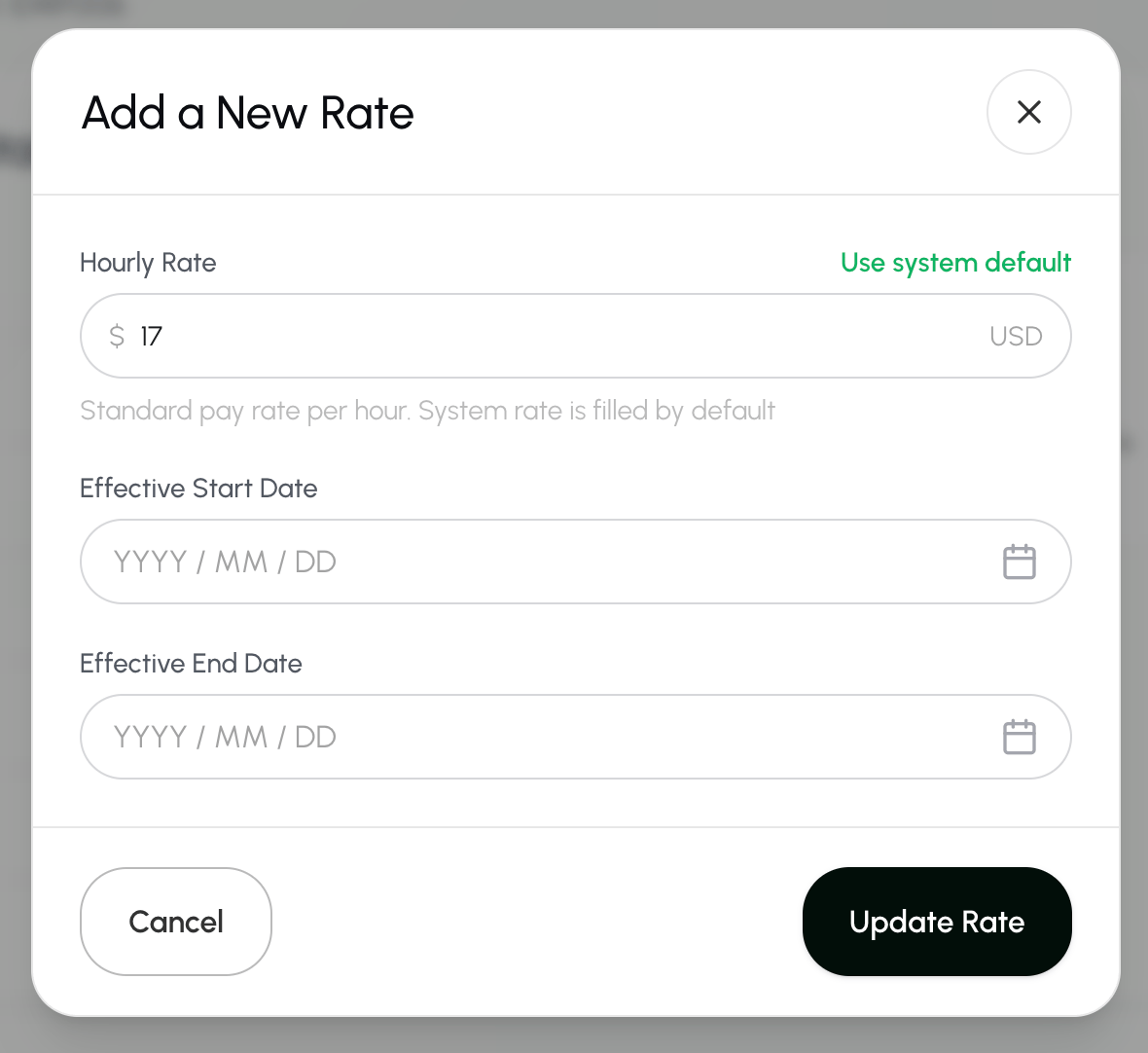
- Save this new rate by selecting Update Rate.
Find an employee’s rate history
- Go to the Employees page.
- Select the Search box above the employee list.
- Enter the employee’s first name, last name, or Employee ID.
- Select the three dots next to the employee and choose Update Profile.
Edit a rate entry
- Go to the Employees page.
- Select the Search box above the employee list.
- Enter the employee’s first name, last name, or Employee ID.
- Enter the employee’s first name, last name, or Employee ID. Select the three dots next to the employee and choose View Profile.
- Select the edit button
 next to the rate entry that you want to edit.
 - Change the pay rate, start date, or end date.
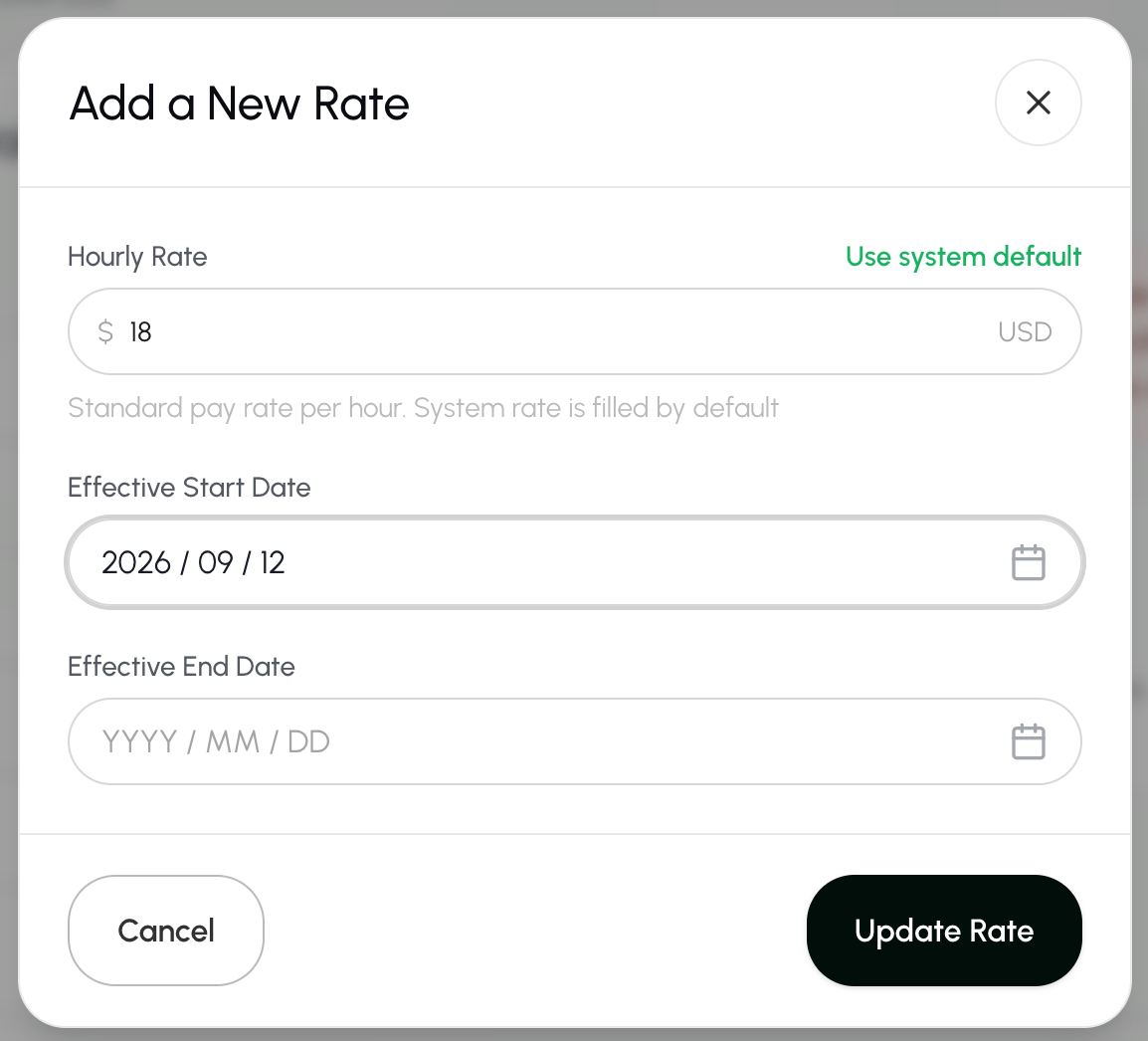
- Select Update Rate to save your changes.
Delete a rate entry
- Go to the Employees page.
- Select the Search box above the employee list.
- Enter the employee’s first name, last name, or Employee ID.
- Enter the employee’s first name, last name, or Employee ID. Select the three dots next to the employee and choose View Profile.
- Select the edit button
 next to the rate entry that you want to delete.
C. Roles
Create a new employee role
- Go to the Configurations page.
- Scroll down to the Employee roles section.
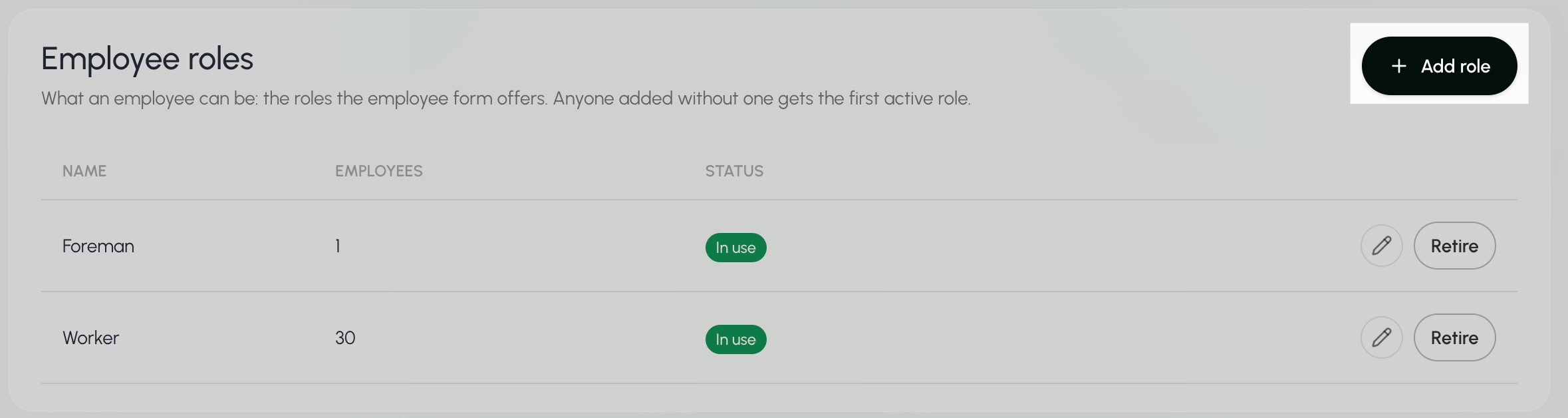
- Select + Add Role.
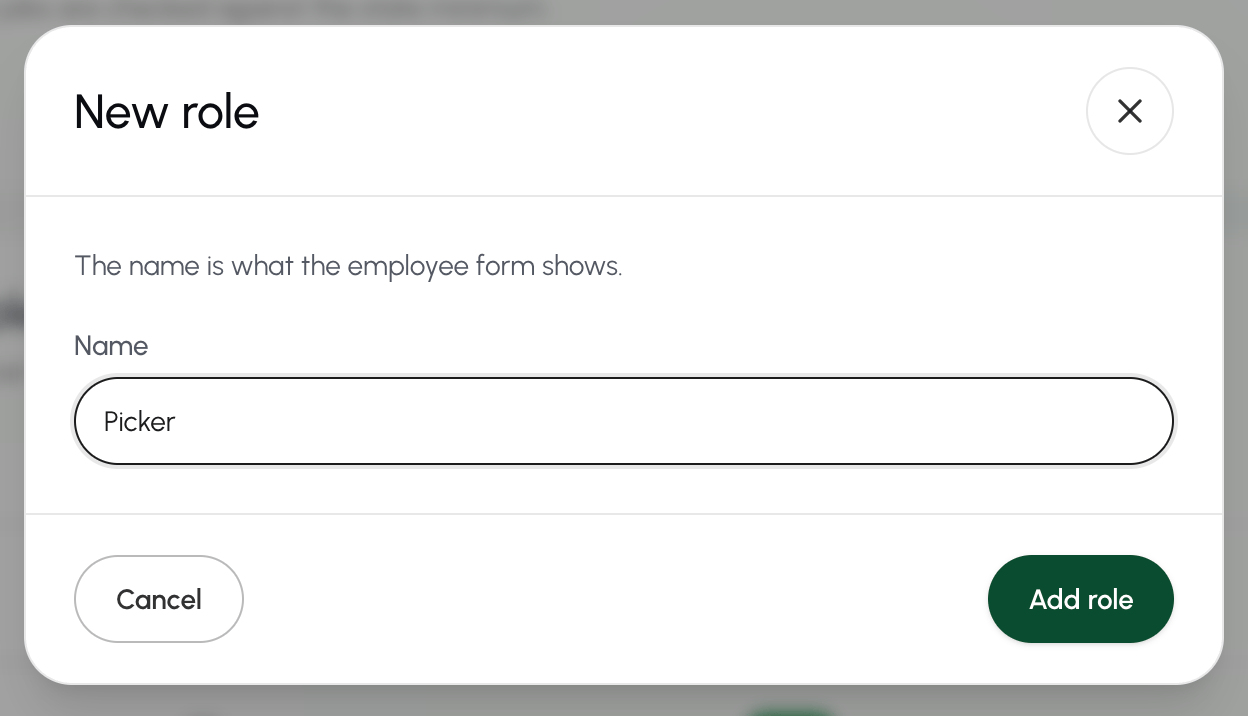
- Fill in the name of the role and select Add role to save your changes.
Edit an employee role
- Go to the Configurations page.
- Scroll down to the Employee roles section.
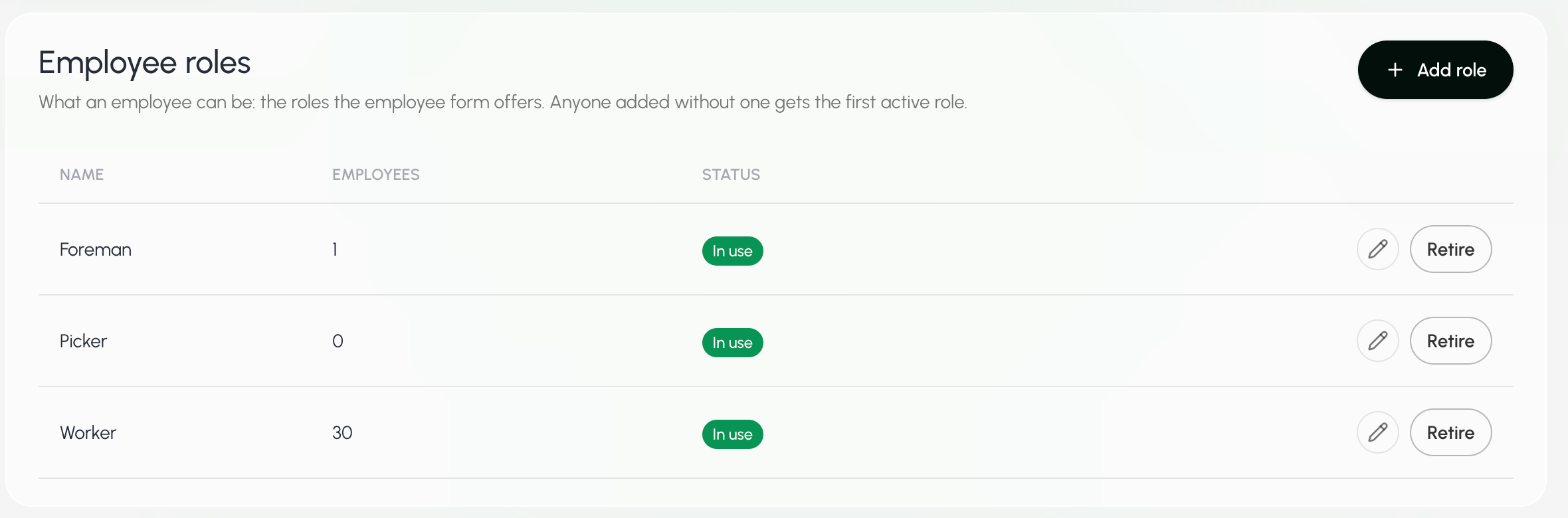
- Select the edit button next to the role that you want to edit.
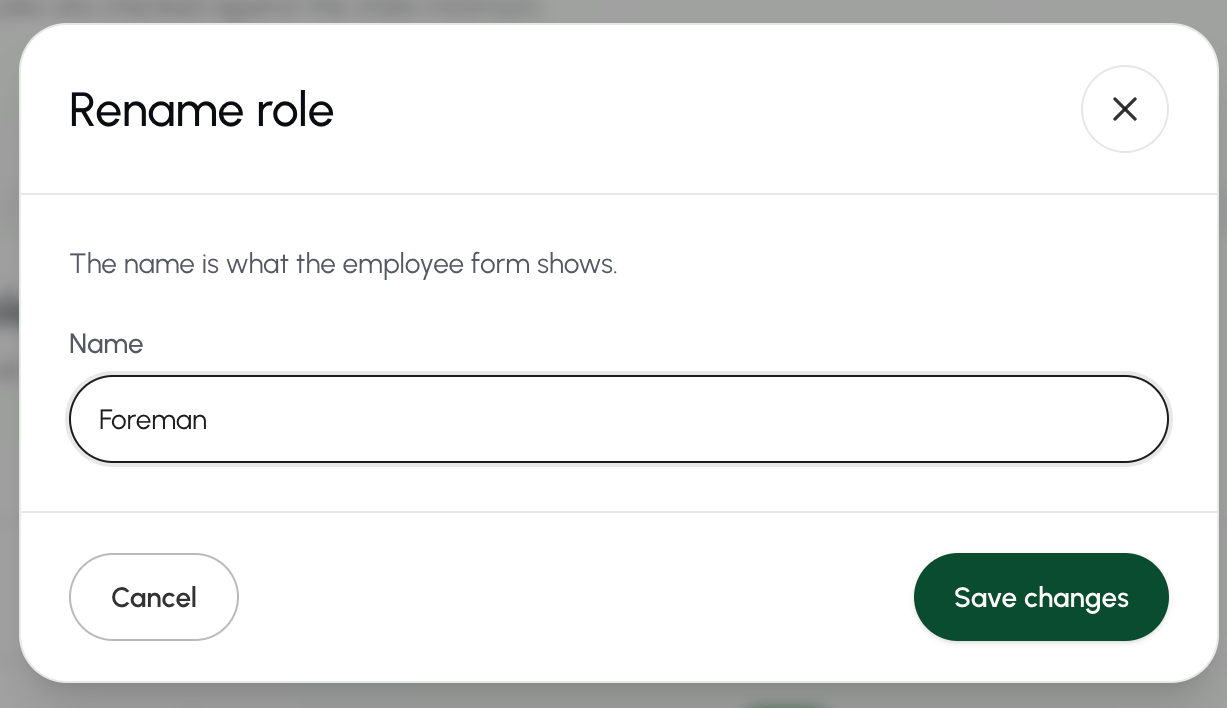
- Change the name of the employee role and select Save changes.
Retire an employee role
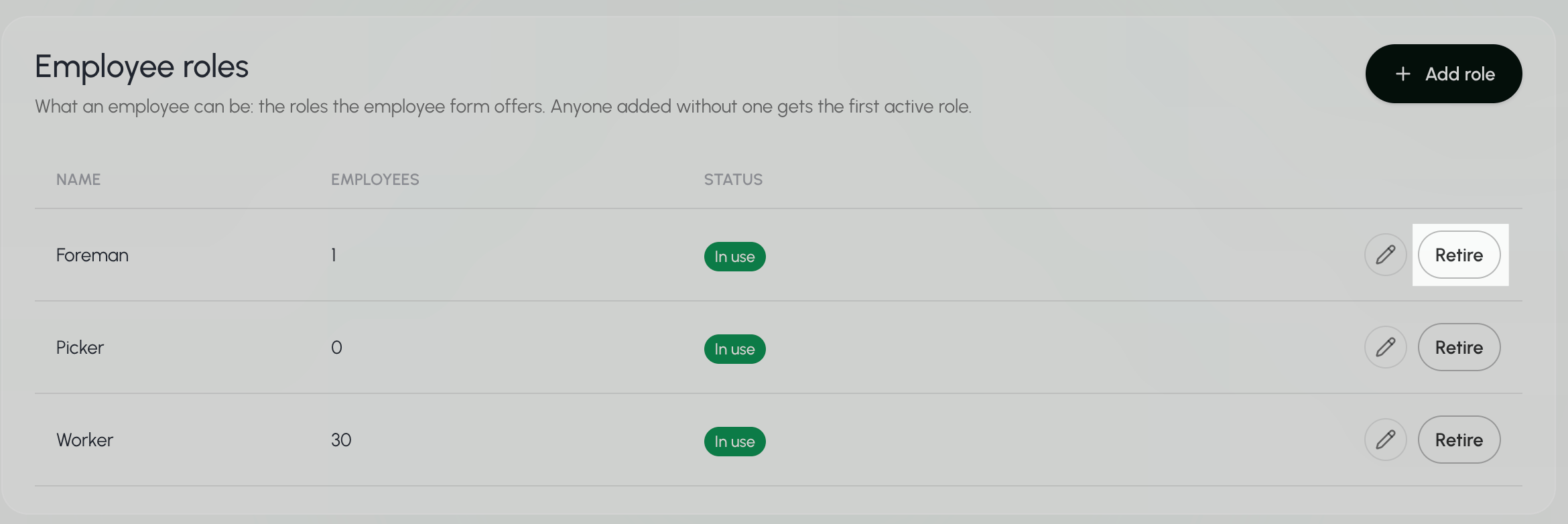
- Go to the Configurations page.
- Scroll down to the Employee roles section.
- Select Retire next to the role you want to remove.
View the role of an employee
- Go to the Employees page.
- Select the Search box above the employee list.
- Enter the employee’s first name, last name, or Employee ID.
The Search bar at the top of every page searches across Farmio. To search only for employees, use the Search box on the Employees page.
- Select the eye icon
 next to the employee to view.
 - The employee’s role is listed under Employee details.
View all employee roles
- Go to the Configurations page.
- Scroll down to the Employee roles section.
D. Crews
Create a crew
- Go to the Crews page.
- Select + Add Crew.
- Select Add employee from the menu.

- Give the crew a name, ID, and description.
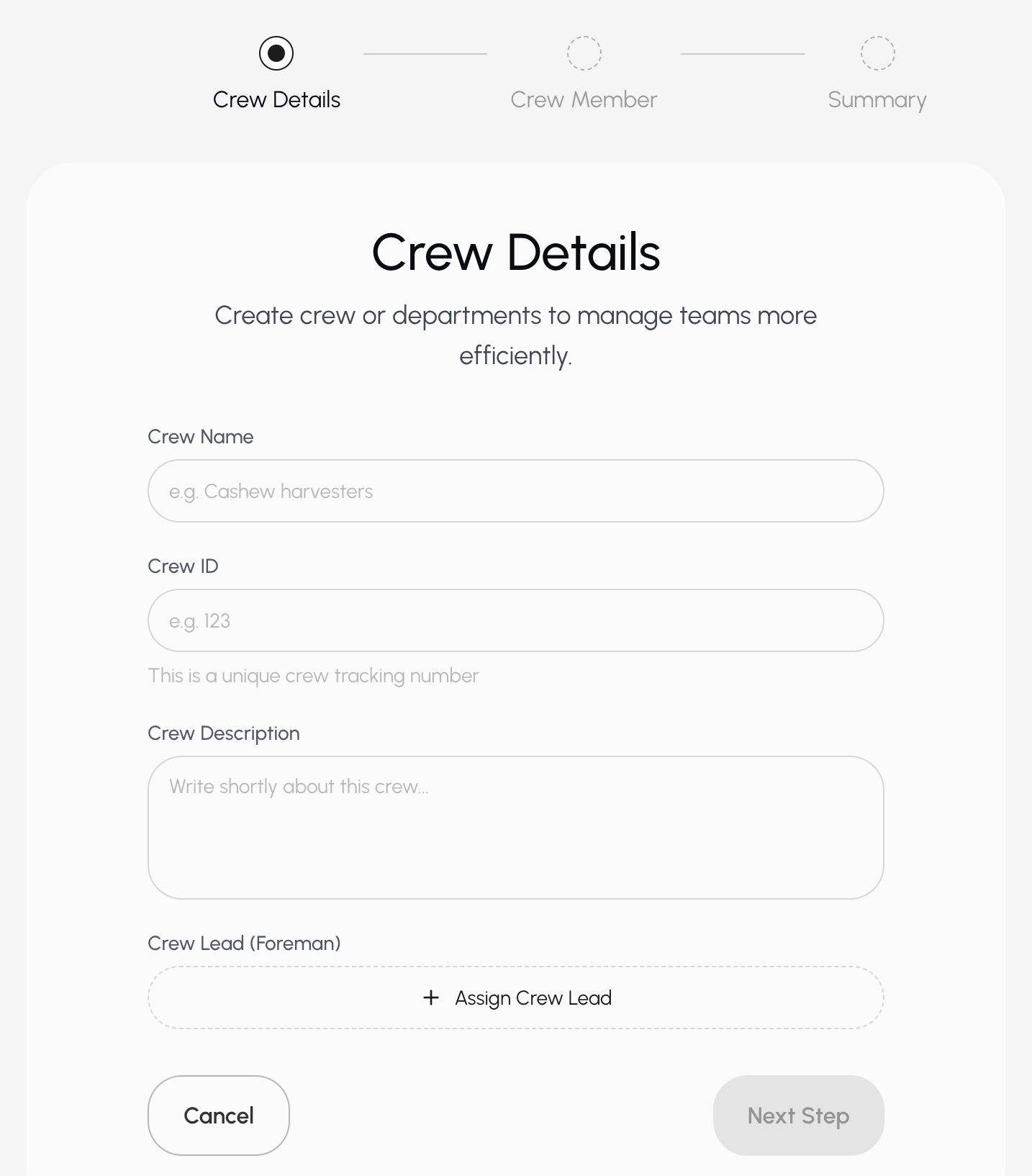
- Assign a crew lead if this crew has one.
To assign a crew lead:
-
Select Assign Crew Lead.
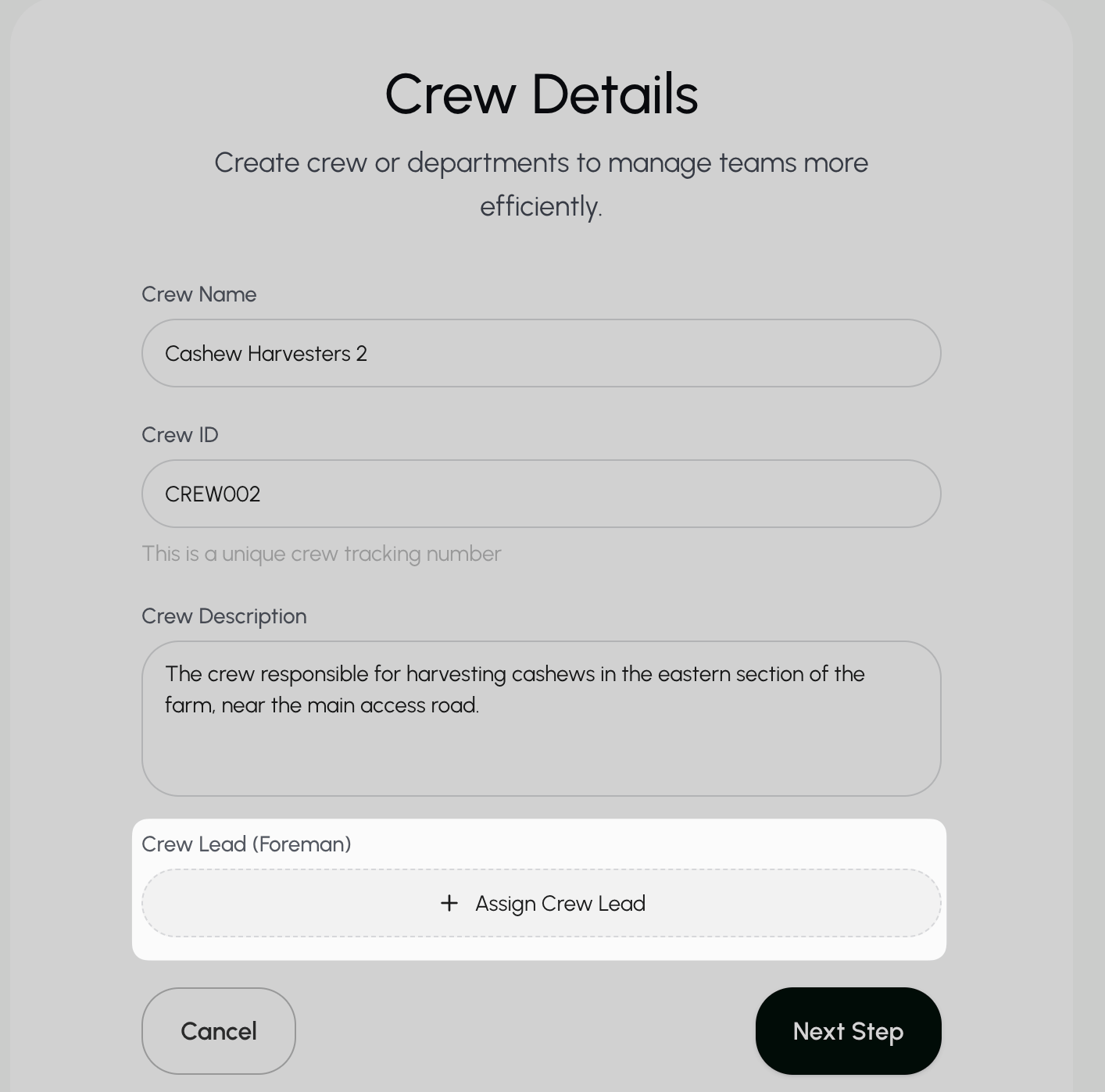
- Choose an existing crew lead or add a new one.
- If creating a new employee, add your employee’s information.
-
Select Save & Assign Team Lead.
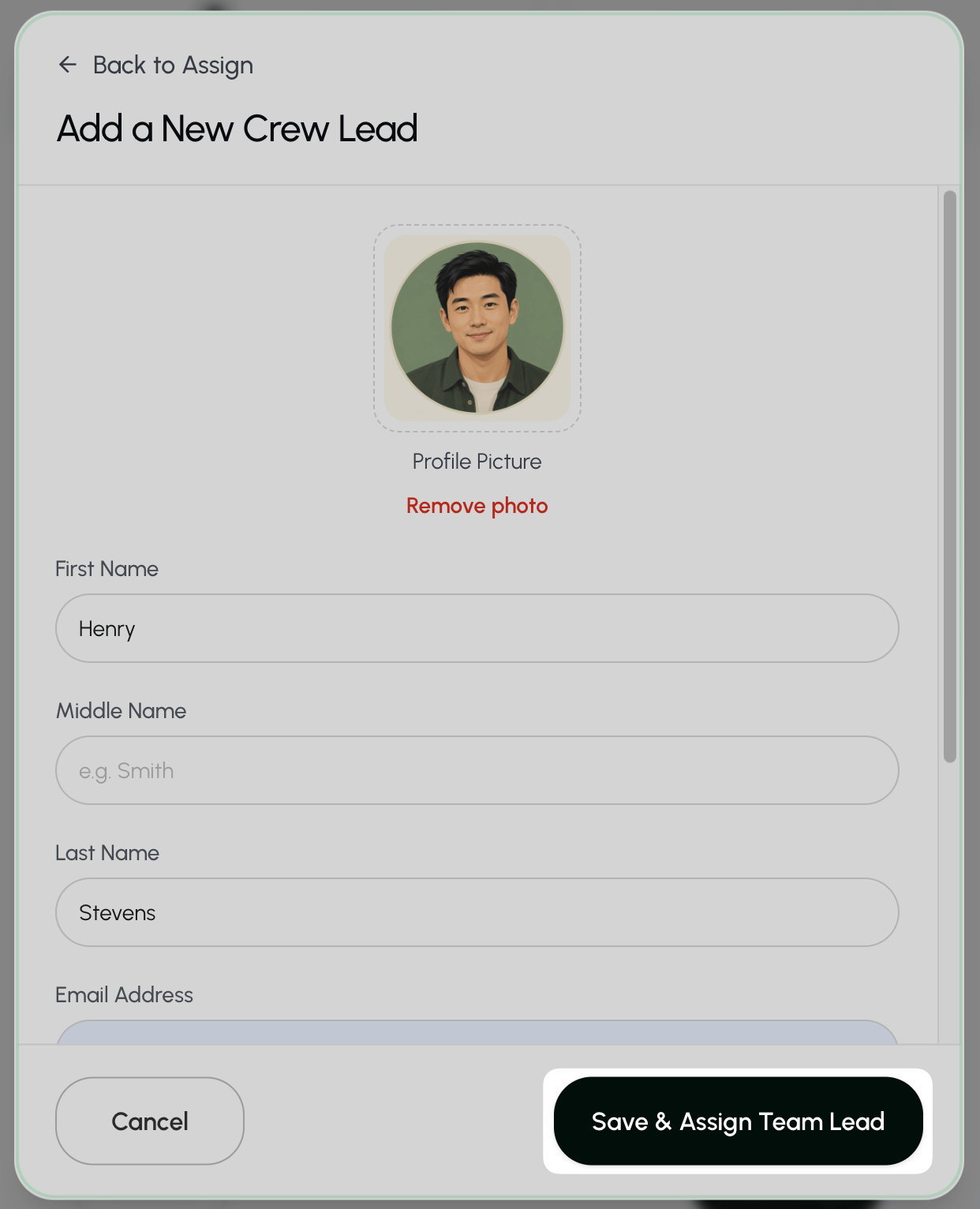
- You can add members to your crew in 3 ways:
- Bulk upload new employees: see Add multiple employees.
- Add a single new employee: see Add an employee.
- Select your crew from existing employees:
- Search for an employee by name, email, or ID.
- Check the box next to the employees you want to add to the crew.
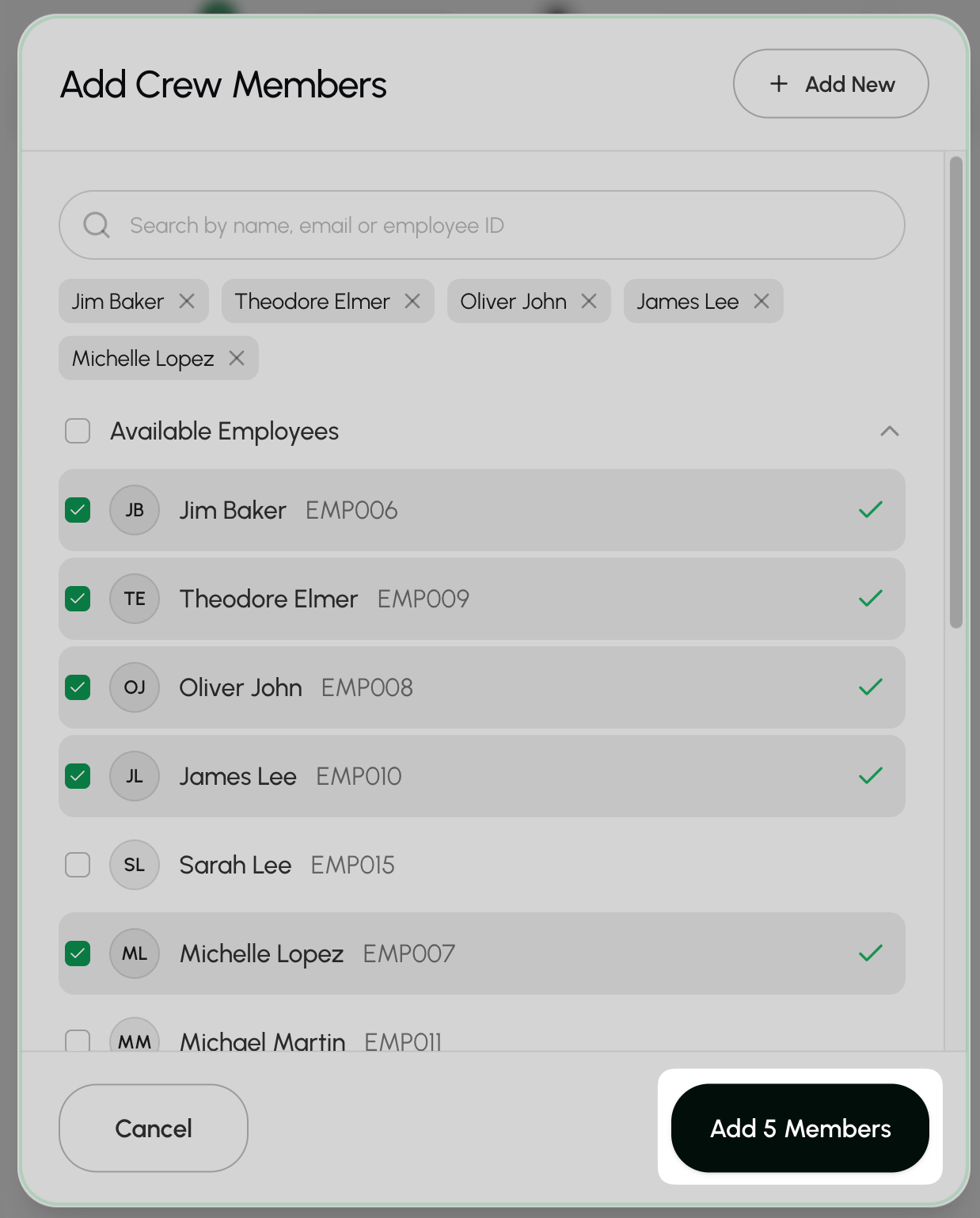
- Select Add members.
- Confirm that all of the information is correct and select Create Crew.
View all crews
You can find all crews in your organization by going to the Crews page.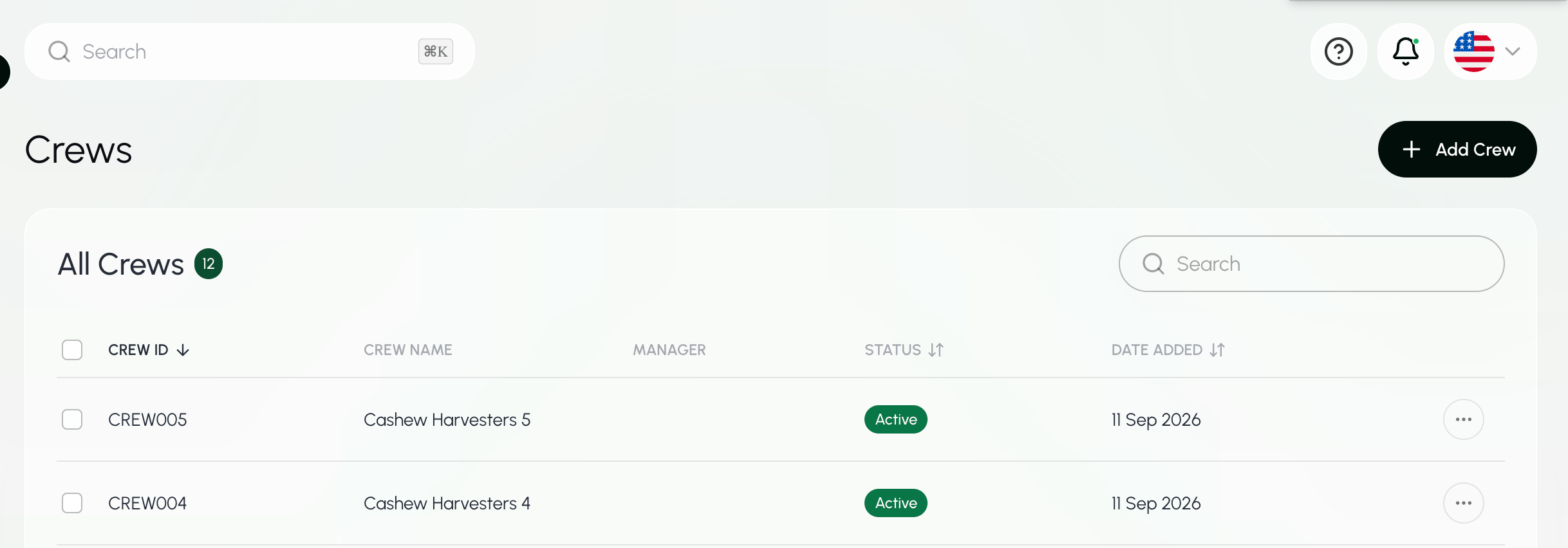
Find a crew
- Go to the Crews page.
- Select the Search box above the employee list.
- Enter the crew’s name, ID, or crew lead.
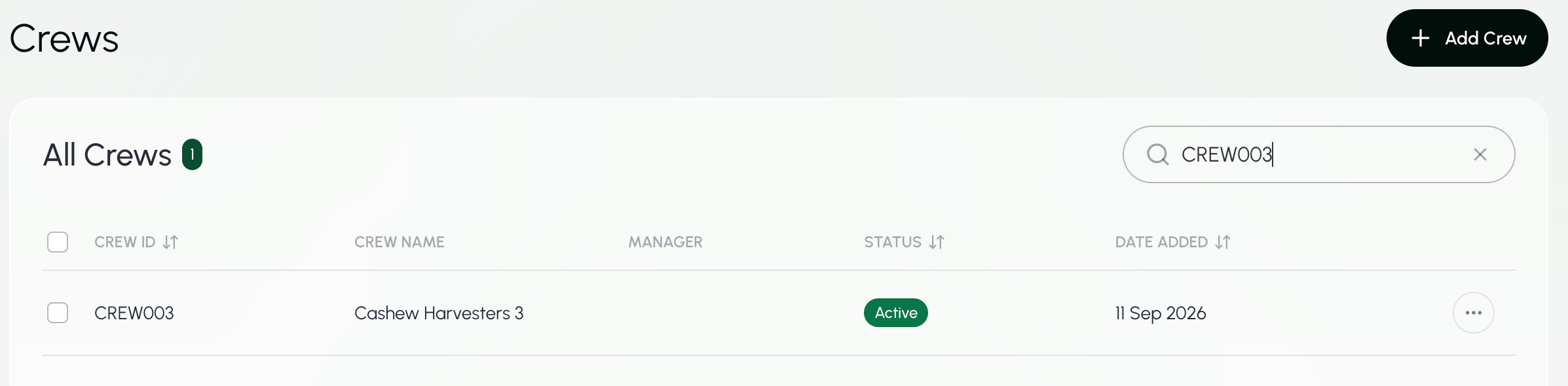
The Search bar at the top of every page searches across Farmio. To search only for crews, use the Search box on the Crews page.
View all employees in a crew
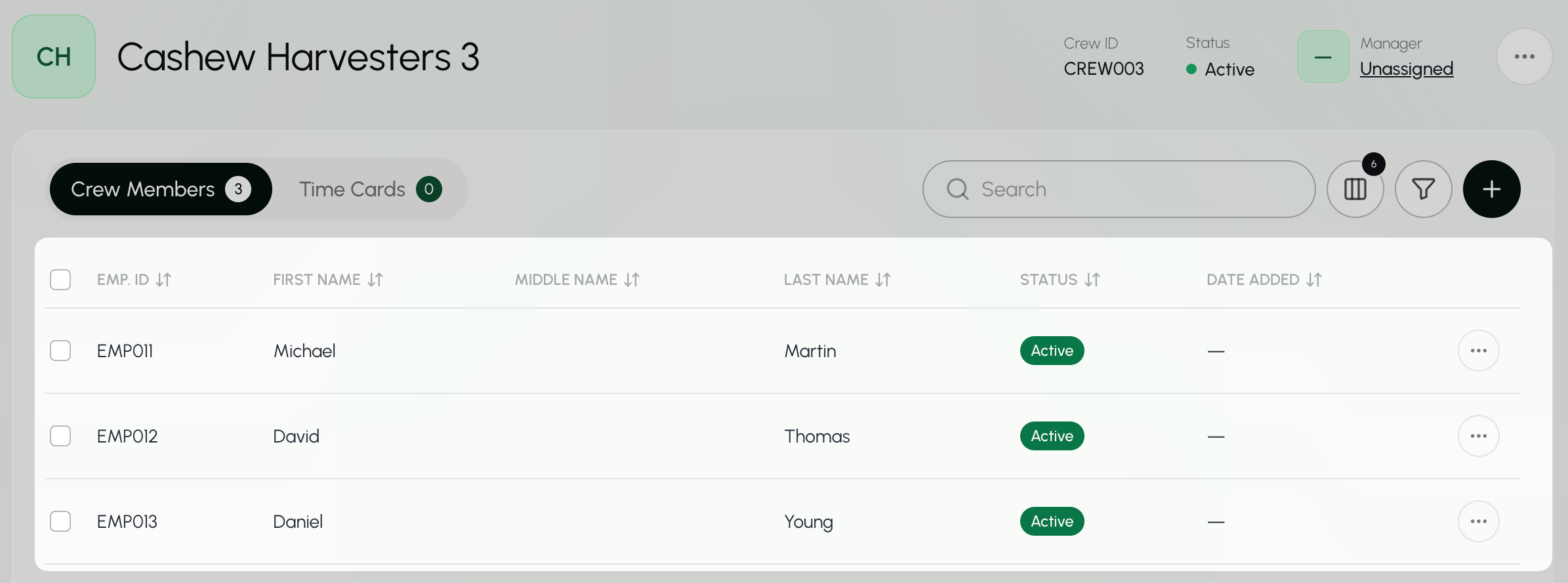
- Go to the Crews page.
- Select the Search box above the employee list.
- Enter the crew’s name, ID, or crew lead.
- Select the crew you would like to view.
Add enmployees to a crew
- Go to the Crews page.
- Select the Search box above the employee list.
- Enter the crew’s name, ID, or crew lead.
- Select the crew you would like to edit.
- Select the ""+"" button.

- Choose available employees from the list provided or Add an employee.
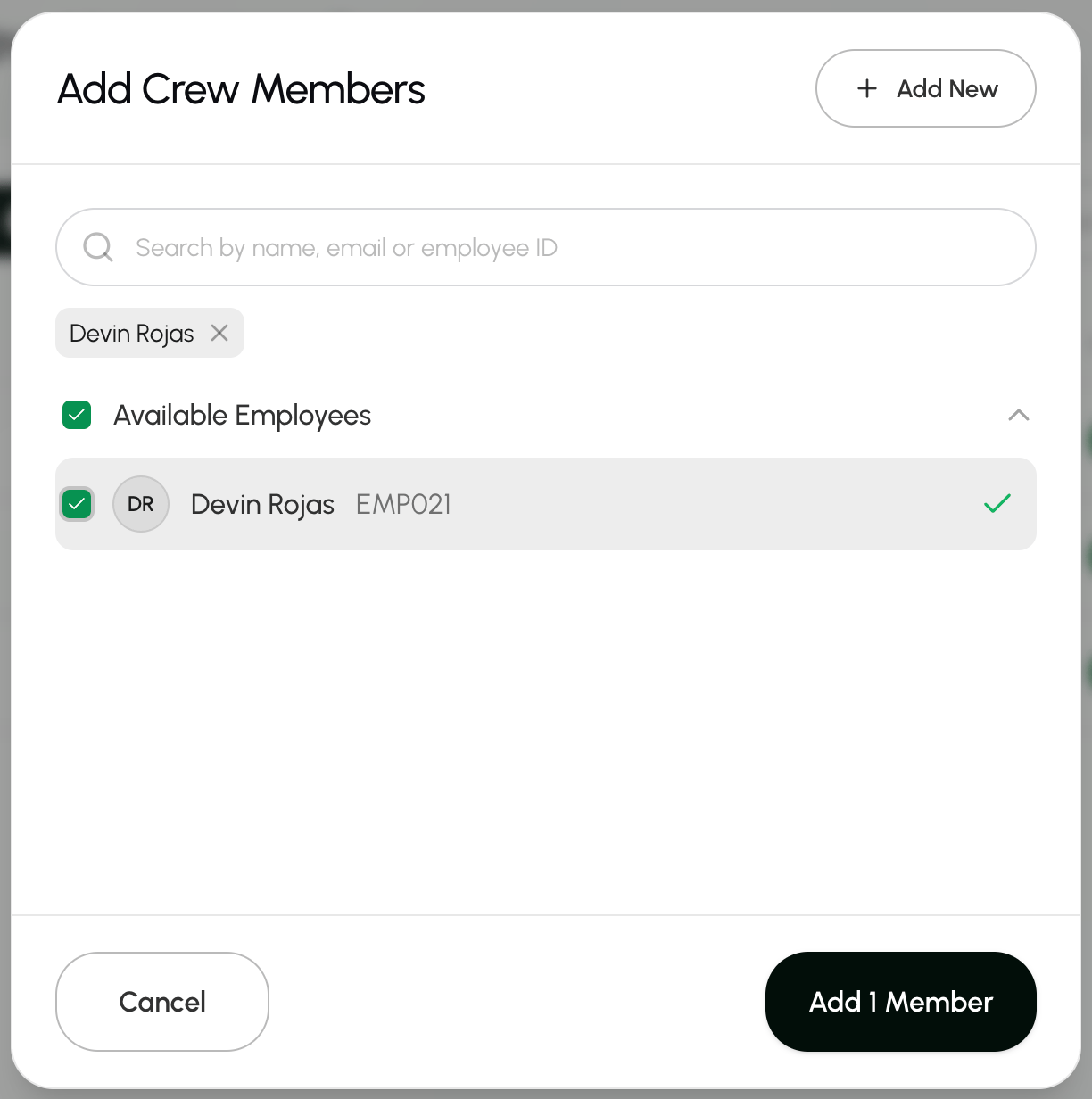
- Save your changes by selecting Add 1 member.
Remove employees from a crew
- Go to the Crews page.
- Select the Search box above the employee list.
- Enter the crew’s name, ID, or crew lead.
- Select the crew you would like to edit.
- Select the three dots next to the employee you want to remove and choose Remove from crew.
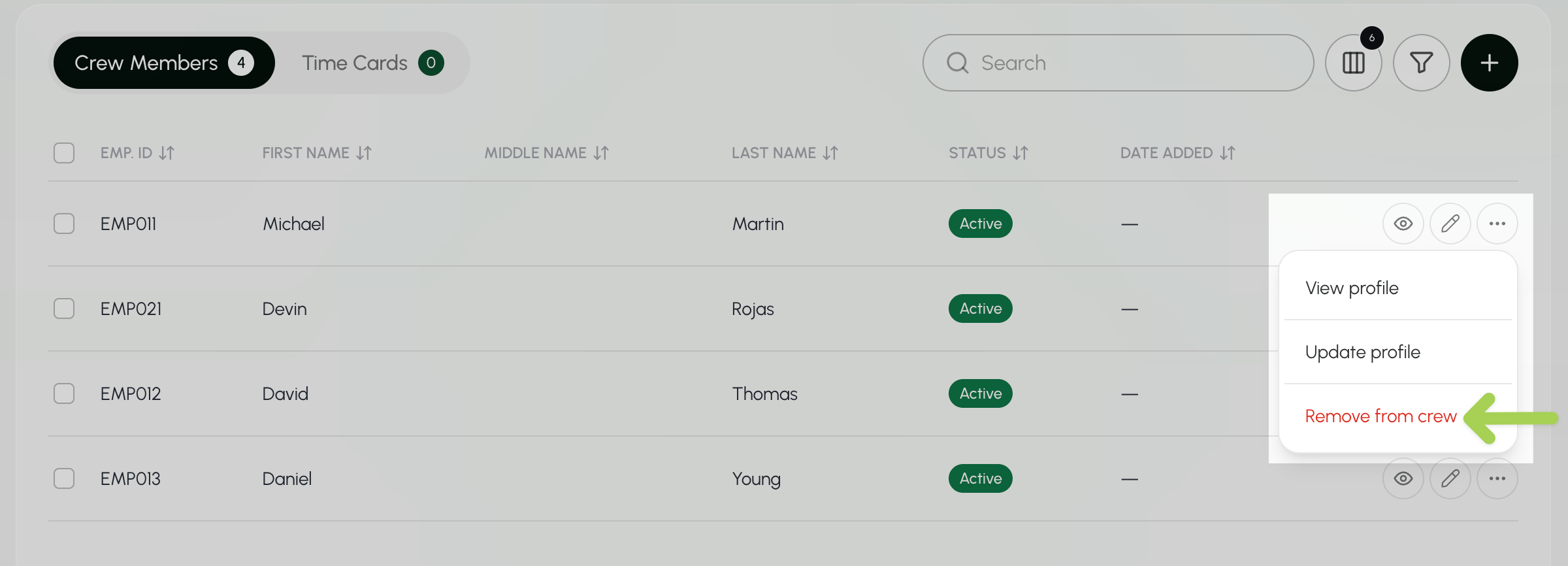
- Select Remove to save your changes.
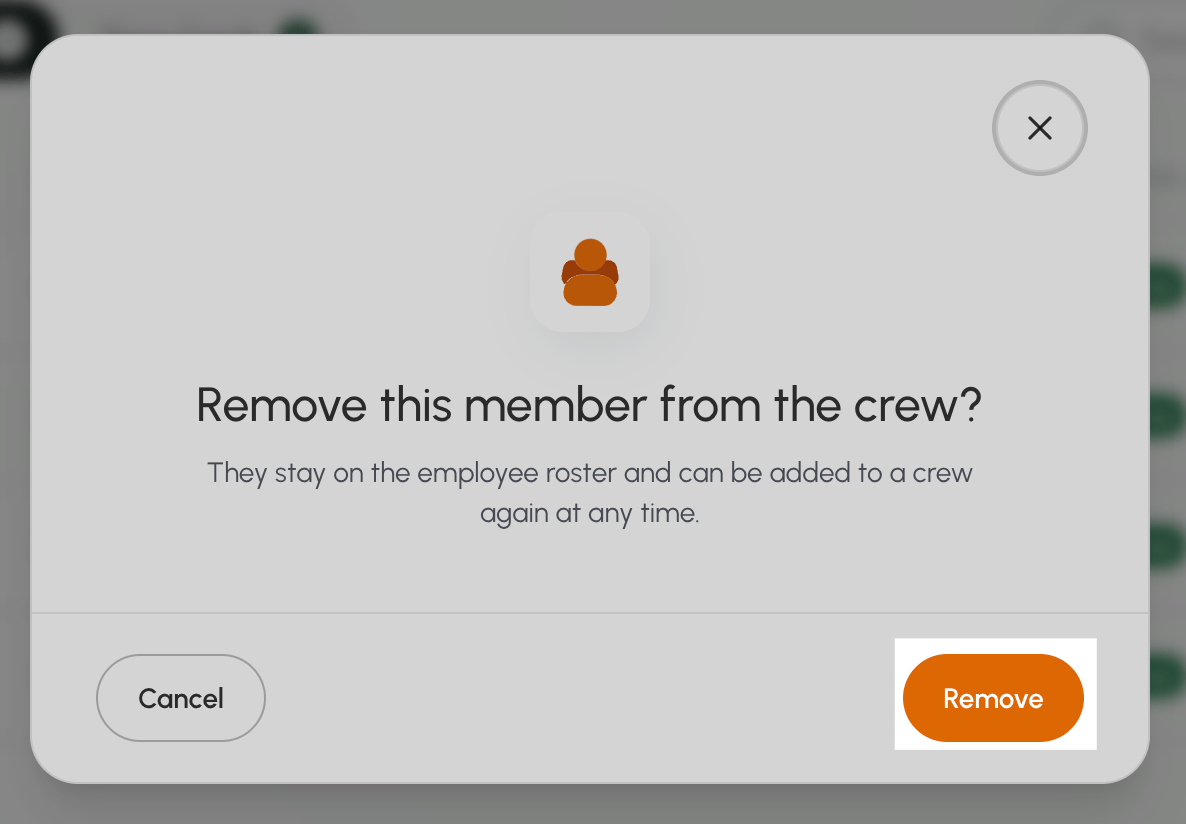
This action will not delete the employee. They stay on the employee roster and can be added to a crew again at any time.
Update crew details
- Go to the Crews page.
- Select the Search box above the employee list.
- Enter the crew’s name, ID, or crew lead.
- Select the three dots next to the crew and choose Edit Crew.
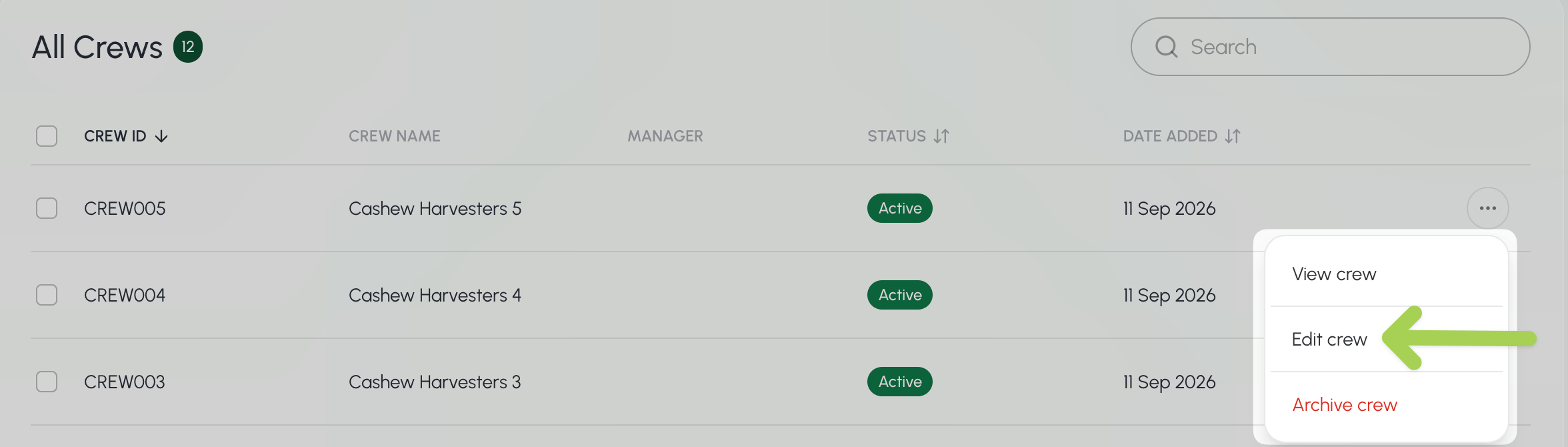
- Change the Crew’s name, ID, description, or crew lead.
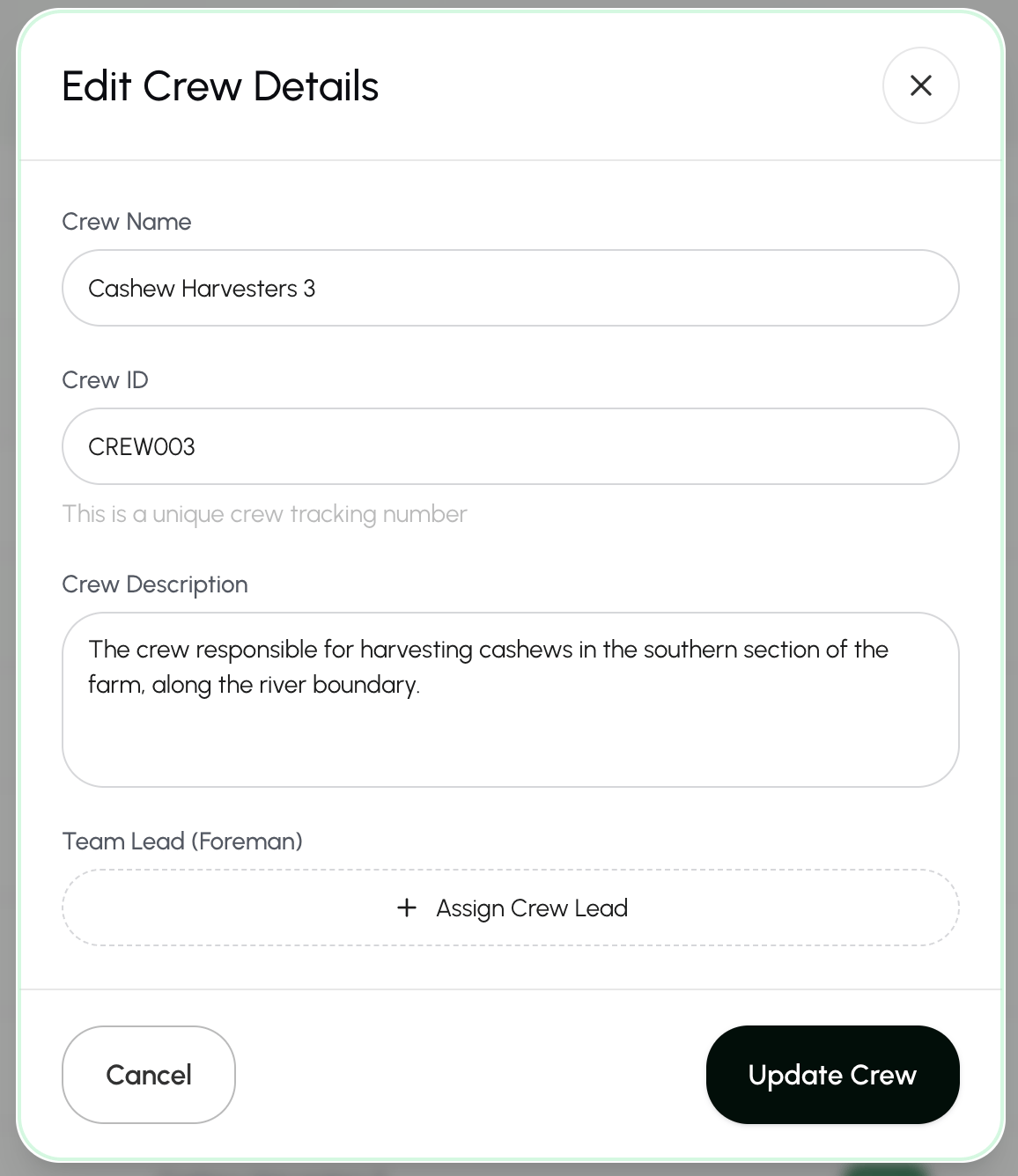
- Save your changes by selecting Update Crew.
You can also update crew details from the crew’s profile page.Select the three dots in the top right of the page and choose Edit Crew Details.
in the top right of the page and choose Edit Crew Details.